Laxu AI vs Quizlet vs Anki vs StudyFetch vs Knowt: Best Flashcard App in 2026?

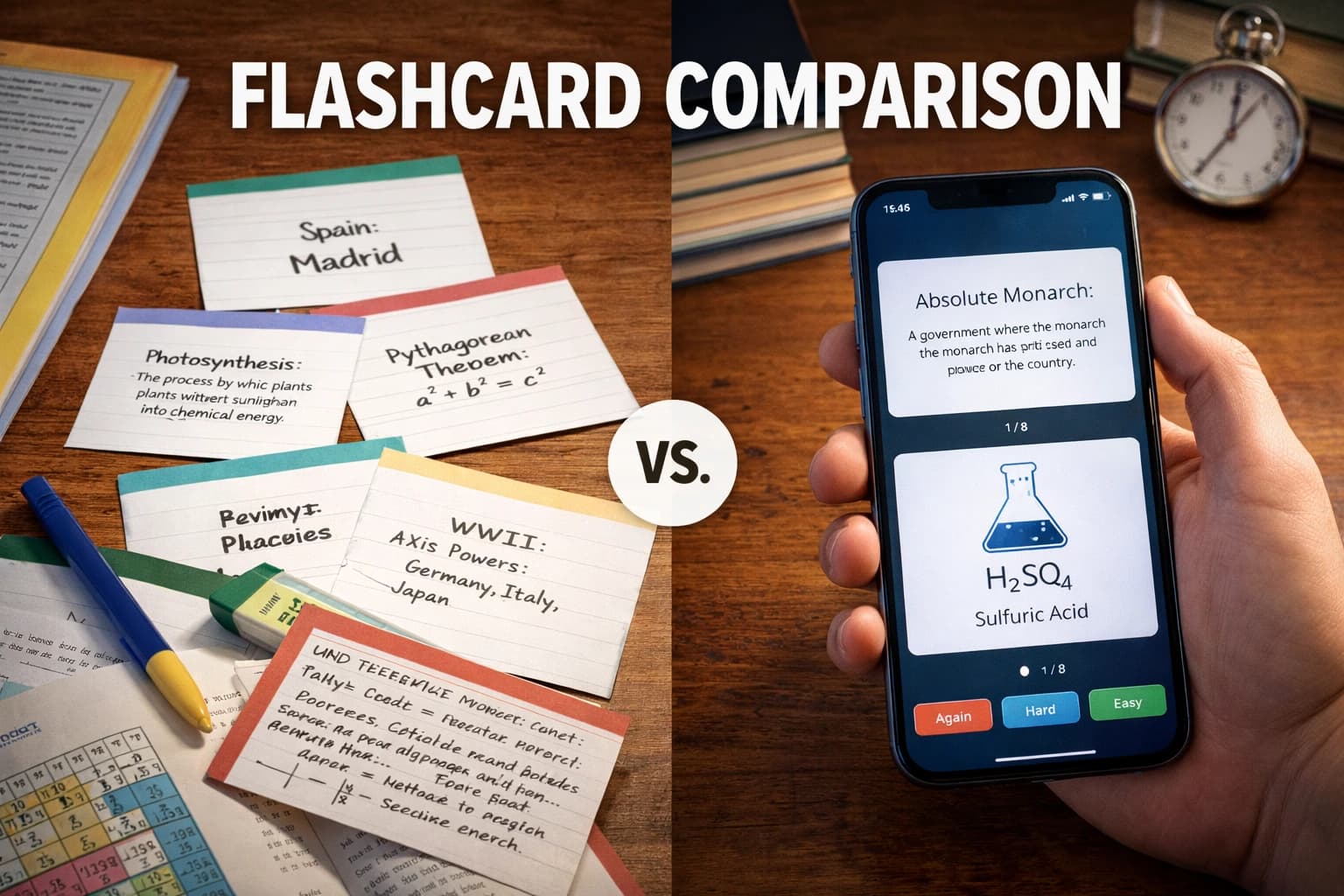
The AI study app landscape shifted dramatically in early 2026. Quizlet acquired Coconote (the viral audio-to-flashcard app) in February 2026, and Knowt quietly became the most generous free option in the market. Here is a full breakdown of every major tool so you can pick the right one.
Breaking: Quizlet acquires Coconote (February 2026)
Quizlet purchased Coconote — the app known for turning lecture recordings into flashcards and viral "brainrot" study content — on February 13, 2026. Coconote's audio-capture pipeline is being folded into Quizlet. If you were using Coconote as a standalone app, its independent roadmap is now discontinued.
Quick answer by use case
- Best for converting PDFs and notes with AI: Laxu AI — uploads PDFs, DOCX, audio, or text and generates flashcards + quizzes. Free first upload, then $4.99/month.
- Best free option: Knowt — spaced repetition, Learn Mode, and AI generation all free. No paywall.
- Best for long-term memorization (med/law school): Anki — FSRS algorithm is scientifically the most accurate. Free on desktop and Android.
- Best for pre-made deck library: Quizlet — 60+ million user-generated sets covering almost every course and textbook.
- Best full-suite AI platform: StudyFetch — AI tutor, podcasts, live lecture assistant. $19.99/month, or $96/year.
The five tools compared
1. Laxu AI
Laxu AI is an AI-first study tool built around one idea: upload your own materials and the AI does the rest. Drop in a PDF, Word document (DOCX), paste notes, or record audio — Laxu AI generates flashcards with question, answer, hint, and explanation fields, plus a multiple-choice quiz, all from the same document.
Unlike Quizlet, which grew around a shared deck library, Laxu AI is designed for students working with their own course-specific materials — professor slides, personal notes, recorded lectures. You can also create and edit cards manually, so the AI output is a starting point you refine, not a black box.
Pricing: First upload free (no credit card). Pro: $1.99/week, $4.99/month, or $39.99/year. Includes unlimited uploads, audio transcription, and Anki export.
Best for: Students who have PDFs, slides, or lecture recordings and want cards ready in under a minute without paying $15–20/month.
2. Quizlet (now with Coconote)
Quizlet is the world's largest flashcard platform with 60+ million users and a library of user-created sets spanning every subject imaginable. In 2026, Quizlet is undergoing its biggest transformation since adding spaced repetition: the acquisition of Coconote adds audio and video lecture capture to its pipeline, meaning you will eventually be able to record a lecture and have Quizlet generate study materials automatically.
Quizlet's AI features — Q-Chat tutor (Socratic-style conversations), Magic Notes (upload notes → instant flashcards), and Learn Mode — are solid but locked behind Quizlet Plus. The free tier in 2026 is significantly more restrictive than it was in prior years, cutting off Learn Mode after a few rounds.
Pricing: Free tier (heavily limited in 2026). Quizlet Plus: ~$35.99/year or $7.99/month. Coconote's standalone plan is discontinued following the acquisition.
Best for: Students who want access to millions of pre-made decks, or who need a well-known platform their study group already uses.
3. Anki
Anki is open-source spaced repetition software with a cult following among medical students, language learners, and anyone memorizing large volumes of material long-term. In 2026, Anki's algorithm was upgraded from the older SM-2 to FSRS (Free Spaced Repetition Scheduler), trained on over 700 million reviews from 20,000+ users. FSRS is more accurate than any competitor's algorithm — it predicts memory retention and schedules reviews at the optimal moment.
Anki has no built-in AI content generation. Every card is created manually, imported from shared decks, or generated by third-party tools (like Laxu AI, which exports to Anki's .apkg format). The learning curve is real — expect an hour of setup before you hit your stride.
Pricing: Free on desktop (Windows, Mac, Linux), free on Android (AnkiDroid), $24.99 one-time on iOS (AnkiMobile). AnkiWeb sync is free.
Best for: Medical students, law students, and serious language learners who need to retain thousands of items over years, not weeks. Worth the learning curve if long-term retention is the goal.
4. StudyFetch
StudyFetch is an all-in-one AI learning platform with one of the broadest feature sets in the category. Its standout is Spark.E, an AI tutor available 24/7 for Socratic-style help with your uploaded materials. Beyond flashcards, StudyFetch generates AI podcasts (6–45 minute audio summaries of your documents), educational videos, and live lecture notes.
StudyFetch supports PDF, PowerPoint, audio files (MP3, WAV, M4A), YouTube URLs, and photos of handwritten notes. It is one of the more expensive AI study tools: its US App Store listing prices Premium at $19.99/month, $29.00/quarter or $96.00/year. (studyfetch.com blocks automated access to its own pricing page, so the App Store listing is the record we can stand behind.) The breadth of features justifies that if you use them.
Pricing: Free tier (very limited: 10 AI conversations, 1 study set, 2 practice tests, 5 uploads). Paid plans: ~$19/month (or discounted annually).
Best for: Students who want more than flashcards — AI tutor conversations, podcast-style audio summaries, and live lecture note-taking in a single platform.
5. Knowt
Knowt is the most generous free flashcard app in 2026, and it has grown fast because of it. Unlike Quizlet, which has been restricting its free tier, Knowt offers spaced repetition, Learn Mode, AI note-taking from PDFs and videos, quiz generation, and practice tests — all completely free. It directly imports Quizlet sets, making migration easy.
Knowt's paid "Ultra" plan ($9.99/month billed annually) adds Kai, an AI chatbot tutor, and Snap & Solve (photo-to-answer for problem sets). It also integrates with Canvas, Moodle, and Google Classroom, which makes it popular in schools.
Pricing: Free tier is extremely generous — includes spaced repetition, AI note-taking, practice tests, unlimited flashcards. Ultra: $9.99/month (billed annually) or $19.99/month.
Best for: Students who want a capable free Quizlet alternative without paying anything. Also good for teachers using LMS integrations.
Feature-by-feature comparison
AI flashcard generation from PDFs
All five tools can generate flashcards from PDFs to varying degrees. Laxu AI and StudyFetch handle this natively with strong AI quality. Knowt does it free. Quizlet requires a paid plan (Magic Notes). Anki cannot do this natively at all — you need to generate cards externally and import them.
Audio and lecture recording
Laxu AI supports audio recording directly in the app on iOS, Android and web. StudyFetch accepts MP3, WAV, and M4A uploads. Quizlet + Coconote is building this into their combined platform following the February 2026 acquisition. Knowt supports lecture video transcription. Anki does not support audio input for card generation.
Spaced repetition quality
Anki is the clear winner here — FSRS is the most scientifically validated algorithm available, trained on hundreds of millions of real reviews. Knowt and Laxu AI include solid spaced repetition for day-to-day studying. Quizlet's Learn Mode uses spaced repetition principles but its algorithm is less rigorous. StudyFetch includes spaced repetition on generated sets.
AI tutor / chat with your notes
StudyFetch (Spark.E) and Knowt (Kai, paid) both offer AI tutors that answer questions about your uploaded materials. Quizlet has Q-Chat. Laxu AI focuses on generation and review rather than chat. Anki has no AI features.
Pricing summary
- Anki: Free (iOS $24.99 one-time)
- Knowt: Free (Ultra $9.99–$19.99/month)
- Laxu AI: First upload free → $4.99/month or $39.99/year
- StudyFetch: $19.99/month, $29.00/quarter or $96.00/year (App Store listing)
- Quizlet: ~$7.99/month or $35.99/year
What I look at as a mobile engineer (a reviewer's note)
I asked Prakash Gurung, an Android engineer at Bank of America who's spent the last decade shipping mobile apps to millions of users, to weigh in on the comparison above. His perspective surfaces the parts of these apps that feature tables never capture:
"Most comparison posts list features. The problem is that 'has feature X' and 'feature X actually works under realistic conditions' are two very different things. As an engineer, here are the things I check on any study app before I take the marketing claims seriously:
Sync reliability under realistic conditions. Edit a card on your phone, close the app, open it on a laptop. Did the edit show up? Now do it offline — make a change on the phone with airplane mode on, then reconnect. Does it merge cleanly when you go back online, or do you get a conflict screen, or worse, silent data loss? Quizlet and Knowt handle this well. Anki's sync is solid but requires a deliberate sync button push. Apps that sync only on cold-start are the ones where you'll lose work when your laptop crashes mid-study session.
Offline mode fidelity. The marketing page says "works offline." The reality is a spectrum. Full offline means create, edit, study, with everything queueing for sync. Partial offline means you can study existing cards but cannot create new ones. View-only offline means you can flip cards you already downloaded but cannot search, filter, or do scheduled reviews. Test this before you commit a semester of study to an app — sit somewhere with no signal and try to actually use it.
Export quality and data ownership. Can you leave with your decks intact? Anki uses an open format (.apkg) that the entire ecosystem can read. Laxu AI exports to .apkg too. Quizlet's export is limited and has been gated behind paid tiers in the past. Knowt's export improved recently but still loses some formatting. If you're building a multi-year deck you'll care about this in three years.
Performance on older Android devices. Most students aren't on $1,200 phones. The app that feels fast on a recent iPhone can stutter badly on a four-year-old Android in a developing market. I always test on a cheap device — if a flashcard flip takes 800ms or the deck list takes 4 seconds to render, that's the experience millions of students will have, even if the iPhone reviews call it 'snappy.'
Account deletion and data residency. This sounds bureaucratic until you need it. Can you delete your account and have it actually be deleted? Where is your study data stored? For most students this doesn't matter day-to-day, but if you're studying medical or legal material, your university's policies may. Apps with clear deletion flows and explicit data-location disclosures are the ones that have thought about this. Apps that hide both have not."
Which should you choose?
Choose Laxu AI if:
- You have PDFs, lecture slides, or audio recordings you want converted into flashcards fast
- You want AI-generated flashcards AND a quiz from the same document in one step
- You want to export to Anki and use the best SRS algorithm without manually creating cards
- You want a genuinely affordable option ($4.99/month) without paying $8–12/month for features you will not use
- You study in English, Spanish, French, Portuguese, or German
Choose Knowt if:
- Budget is your primary constraint and you need spaced repetition for free
- You are switching from Quizlet and want to import your existing sets
- You use Canvas, Moodle, or Google Classroom and want LMS integration
Choose Anki if:
- You are in medical school, law school, or a language learning program requiring long-term retention
- You want the most scientifically accurate spaced repetition algorithm (FSRS)
- You are willing to invest time setting up the system for long-term payoff
- You want to use community decks like AnKing (pre-made medical school deck with 30,000+ cards)
Choose StudyFetch if:
- You want an AI tutor (Spark.E) that can discuss and explain your uploaded materials
- You like learning by listening — StudyFetch generates podcast-style audio summaries of your documents
- You upload audio files or YouTube video lectures regularly
Choose Quizlet if:
- You want to search a library of millions of pre-made flashcard sets for your specific textbook or course
- Your study group or class already uses Quizlet for sharing sets
- You want access to lecture capture features once the Coconote integration matures
The Laxu AI + Anki workflow (recommended for serious students)
The most effective study setup in 2026 combines AI-powered card creation with Anki's world-class spaced repetition:
- Upload your lecture slides, notes, or PDF to Laxu AI
- Review and edit the generated cards — remove duplicates, tighten answers
- Export the deck as an Anki .apkg file (available on Laxu AI Pro)
- Import into Anki and let FSRS handle your long-term review schedule
This gives you the speed of AI generation and the retention power of Anki's algorithm without spending hours creating cards manually.
Final verdict
There is no single best app — it depends on what you are optimizing for. For most college students who have lecture slides and PDFs, Laxu AI at $4.99/month provides the fastest path from raw study material to reviewable flashcards. For pure value, Knowt's free tier is hard to beat. For maximum long-term retention, Anki with FSRS remains the scientifically strongest choice. And if you want the widest feature set with an AI tutor, StudyFetch is the broadest here — but at $19.99/month, or $96 a year, it is also the most expensive.
Start with Laxu AI's free upload — throw your first PDF at it and see if the quality works for your materials before committing to anything.
Frequently Asked Questions
Is Laxu AI better than Quizlet in 2026?
What happened to Coconote in 2026?
Is Laxu AI better than StudyFetch?
Is Knowt really free? What is the catch?
Should I use Anki or Quizlet for medical school?
Can I use Laxu AI and Anki together?
What is the cheapest AI flashcard app in 2026?
Which flashcard app is best for college students?
Does Laxu AI support audio recording for flashcards?
Can I import my Quizlet flashcards into Laxu AI?
Related articles
Continue learning with these related posts.
Put these techniques into practice
Upload your study materials and let Laxu AI create flashcards, notes, and quizzes automatically.