Using Flashcards with Spaced Repetition (A Practical Guide)
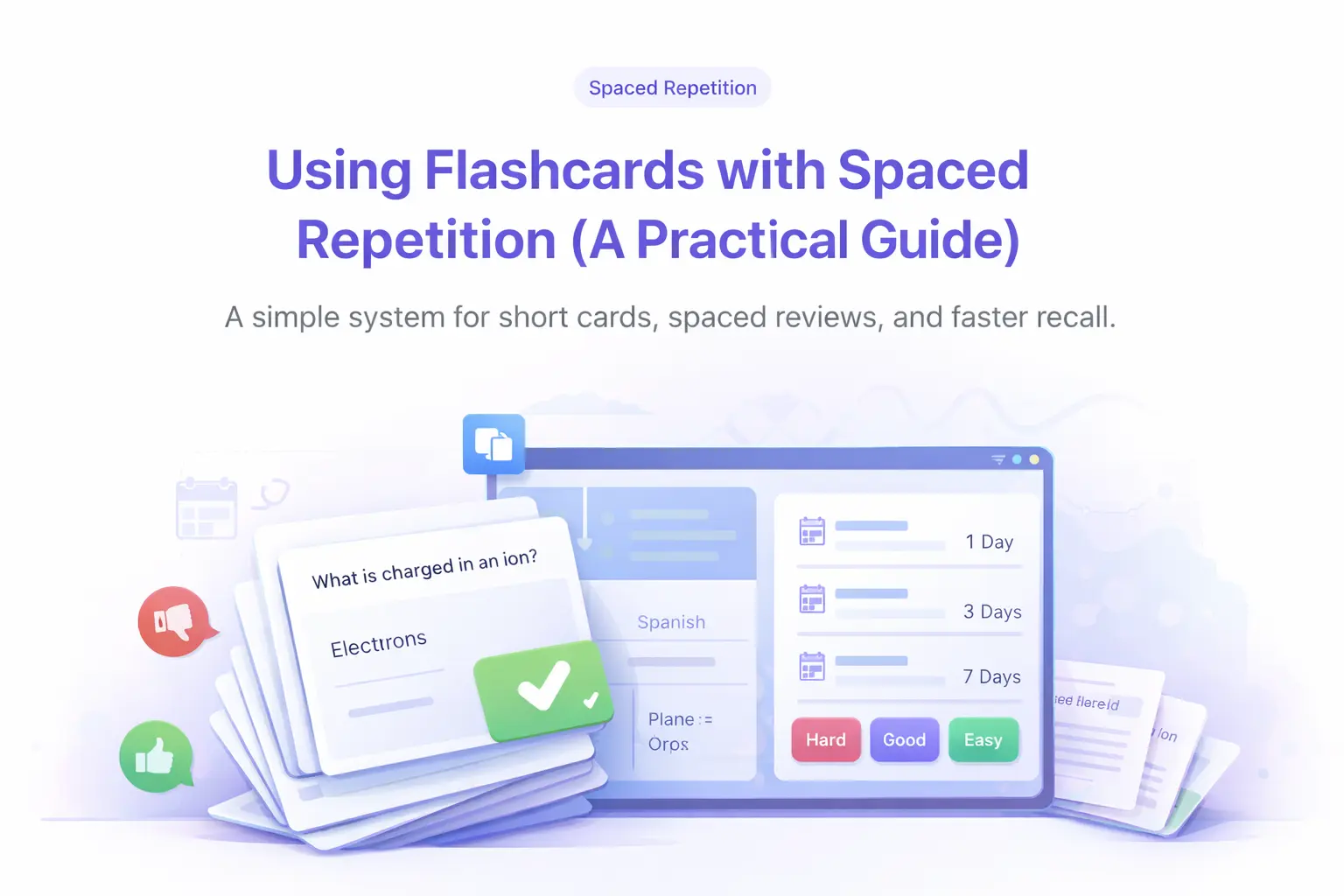
Flashcards work when they force retrieval and when reviews are spaced over time. Keep cards short, review on a schedule, and use mistakes to decide what to study next.
Key takeaways
- One idea per card. If you need "and", split it.
- Keep answers short enough to say out loud in one breath.
- Spacing beats cramming. Review little and often.
Why flashcards work
Retrieval practice means pulling information from memory, not recognizing it on the page. That extra effort strengthens recall. Dozens of studies confirm this: a 2006 paper by Roediger and Karpicke showed that students who practiced retrieval remembered 80% of material a week later, compared to 36% for students who simply reread. The act of struggling to recall an answer creates stronger memory traces than passive review ever can.
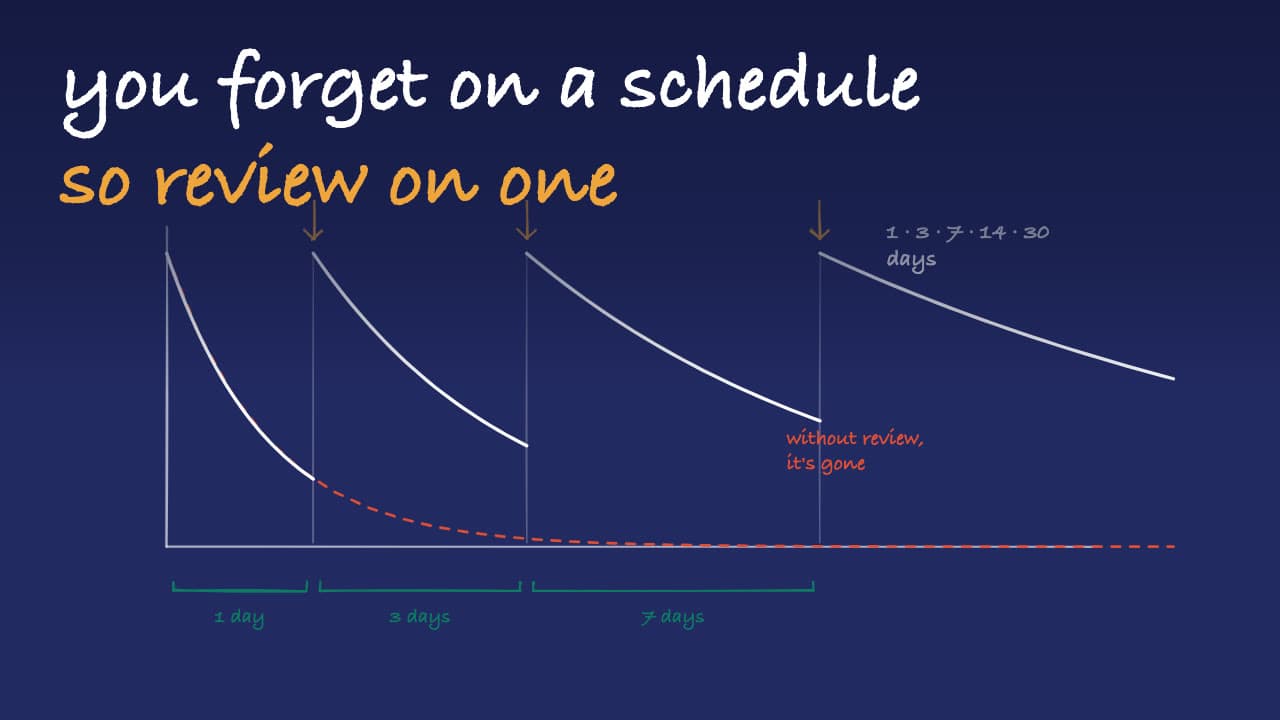
Spacing those retrievals across days helps prevent forgetting and makes knowledge stick. When you space out your reviews, each session reinforces the memory just as it starts to fade. This is the core insight behind spaced repetition: a well-timed review is worth more than five reviews crammed into one night. The combination of retrieval effort and strategic timing is what makes flashcards one of the most efficient study tools available.
How spaced repetition algorithms work
Spaced repetition systems adjust the gap between reviews based on how well you know each card. When you first see a card, the interval is short, maybe one day. If you answer correctly, the interval doubles or triples. Get it right again, and the gap grows to a week, then two weeks, then a month. The idea is simple: easy cards fade into the background while hard cards keep showing up until you master them.
Most algorithms use a difficulty score for each card. When you mark a card as hard or miss it entirely, the interval resets to a shorter period and the difficulty goes up. Over time, the system builds a personalized schedule where you spend most of your time on the material that actually needs work. This is far more efficient than reviewing every card equally, which wastes time on things you already know.
Design better cards
- Make the prompt specific: "Define refactoring" beats "Explain refactoring." A specific question has one clear answer. Vague prompts lead to vague memories. Compare "What are the phases of mitosis?" (too broad) with "What happens during prophase?" (focused and testable).
- Keep the back short: One definition, rule, or step. If you cannot say the answer in a single breath, the card is too long. For example, a good answer: "Prophase: chromosomes condense and become visible." A bad answer: three sentences covering the entire cell cycle.
- Add context only when needed: Put examples in an explanation field or note. The main answer should be the core fact. Supporting details, mnemonics, and diagrams belong in a separate field so they do not clutter the recall process.
- Use your own wording: Paraphrase so you can recall it naturally. Copying a textbook definition word-for-word means you are memorizing phrasing, not understanding. Rewrite it the way you would explain it to a classmate.
- Use cloze deletions for dense facts: "The powerhouse of the cell is the ___" works well for vocabulary and labeled concepts. Cloze cards are fast to create and test recognition in context.
Build a simple weekly routine
- Day 1: Create 20-30 cards from one topic. Spend 15-20 minutes turning your notes into short, clear prompts. Do not try to card-ify everything. Focus on definitions, formulas, and key processes.
- Days 2-4: Review missed cards daily, then mix in new ones. Each session should take 10-15 minutes. Start with cards you got wrong yesterday, then work through the rest. If a card feels too easy three days in a row, it is probably fine to push it to a longer interval.
- Days 5-7: Shorter review sessions. Focus on hard cards only. By the end of the week, most cards should feel familiar. The ones that still trip you up are your priority. Spend 5-10 minutes on just those cards, and consider rewriting any card that consistently confuses you.
This routine works because it front-loads the creation effort and gradually shifts to pure review. By day 7, you have a clean deck of well-tested cards and a clear picture of what you still need to work on.
How to use Laxu AI for spaced repetition
Upload your notes, slides, or PDF and Laxu AI generates flashcards from the content automatically. The cards follow best practices by default: one concept per card, short answers, and specific prompts. You can edit any card before you start reviewing.
Laxu AI includes built-in spaced repetition scheduling. After each review session, cards are sorted by difficulty. Hard cards appear sooner, easy cards are pushed further out. You do not need to manage intervals manually or use a separate app. Just open your deck, review, and the system handles the rest. If you want to add new material, upload another document and merge the new cards into your existing deck.
Customize your flashcard deck
While AI does the heavy lifting, you have full control over your cards. Add your own flashcards manually to include questions the AI might have missed or to create cards for material outside your uploaded documents. You can also edit or delete any card at any time.
During study sessions, use the shuffle feature to randomize card order. This prevents you from memorizing cards by their position in the deck, a common pitfall that gives false confidence. Shuffling forces true recall because you never know which card is coming next.
Common mistakes
- Cards that are too long: If it needs a paragraph, split it. Long cards are hard to grade and even harder to recall consistently. Each card should test one fact.
- Skipping reviews: The schedule is the method, not a suggestion. Missing a day is fine occasionally, but skipping a full week resets much of your progress. Even a five-minute session keeps the system working.
- Studying only easy cards: Hard cards build the most retention. It feels good to breeze through cards you know, but the real gains come from the ones you struggle with. Prioritize difficulty over volume.
When to move beyond flashcards
Once you can answer cards reliably, switch to mixed practice questions or teach the concept out loud. Flashcards build recall; practice builds application. If you are preparing for an exam with problem-solving or essay questions, use flashcards for the foundation and then test yourself with full-length practice problems.
Wrap up
Short cards, steady spacing, and quick feedback beats volume. Start small, keep the schedule, and let consistency do the work. The research is clear: retrieval practice combined with spaced intervals is one of the most effective ways to learn and retain information long-term.
Frequently Asked Questions
How many flashcards should I create per study session?
What is the best spaced repetition schedule for flashcards?
How long should a flashcard answer be?
Can I add my own flashcards manually?
Should I shuffle my flashcards during study sessions?
Related articles
Continue learning with these related posts.
Put these techniques into practice
Upload your study materials and let Laxu AI create flashcards, notes, and quizzes automatically.