

I'm Laxman Shah. I built Laxu AI, which is one of the five tools on this list and the one I put in first place. You should read the rest of this page with that in mind. What I can offer instead of false neutrality is a test everything went through equally: the same 30-page biology chapter, the same lecture slide deck, and the same 12-minute recording of a psychology lecture, uploaded to every tool on the same afternoon.
Why Laxu AI is on this list now
Earlier versions of this article left Laxu AI out of the ranking entirely. The idea was to avoid bias. In practice it just made the page less useful. Readers kept emailing to ask how it actually compared, which is the one question the article refused to answer.
So it is ranked now, and it is ranked first. To make that worth something I have kept every place it loses: it produces fewer questions per upload than Quizgecko, it is the wrong tool if you are writing assessments for other people, and its free tier is one upload, which is stingier than NoteGPT's. Judge the ranking against those admissions.
You do not have time to sign up for ten tools and upload the same PDF to each one. Here is what happened when I did.
Quick answer
- Best overall for students — Laxu AI (disclosed: my product). 4 outputs from one upload: quiz, flashcards and summary notes in about 90 seconds, plus a two-host podcast and an AI tutor on the same material. 28 questions from the test chapter. The only tool here that accepted the lecture audio. $4.99/mo.
- Most question types — Quizgecko. 1 output: the quiz — but the most of them, 40 questions from the same chapter across 10+ formats. No audio. ~$12/mo.
- Simplest — Revisely. 1 output: 20 questions, text in, quiz out, nothing around it. ~$7/mo.
- Best free — NoteGPT. 1 output, and roughly 7 questions in 10 were worth keeping. Ads throughout. Free.
- Already paying for ChatGPT Plus? 0 outputs saved — the quiz is gone when the conversation closes. Fine for one evening. $20/mo.
What I was actually judging
Most comparisons of these tools rank them on how many questions they spit out. That is the least interesting number. Four things mattered more:
- Is there a retake loop? A quiz you take once is a worksheet. What makes testing work as a study method is getting things wrong, then seeing those exact things again a few days later. If the tool forgets what you missed, all it has done is generate paper.
- Will it take what students actually have? My material is a PDF, a slide deck, a photo of a whiteboard, and a recording of the lecture. If I have to transcribe the recording somewhere else and paste text into a box, the tool has already cost me the time it was supposed to save.
- Are the questions about understanding or about vocabulary? "What is mitosis?" tests whether you read the chapter. "Given this ATP yield, which step of respiration would be most affected if oxygen were limited?" tests whether you understood it. The gap between tools on this is bigger than the gap in question counts.
- Do wrong answers turn into something? The point of finding a gap is closing it. A tool that identifies your weak spots and then does nothing with them has stopped one step short.
The five tools, ranked
1. Laxu AI — best for students who want one tool instead of three
Disclosure: I founded Laxu AI. I am ranking my own product first on my own website, which is exactly the sort of thing you should be sceptical about. The specifics below are checkable. Go run the free upload against your own material and see whether it holds.
The 30-page biology chapter came back as 28 quiz questions, 32 flashcards and a summary note, from one upload, in about 90 seconds. That is fewer questions than Quizgecko managed. The reason I still rank it first is that the other four tools produced a quiz and nothing else, and a quiz on its own is the part of studying that is easiest to replace.
Questions come in four formats: multiple choice, true/false, fill-in-the-blank and short answer. The part that changes how you study is what happens after you get one wrong: it becomes a flashcard automatically, and that flashcard comes back on a spaced repetition schedule. You do not have to notice your own weak spots and manually do something about them, which in my experience is the step everyone skips.
The lecture recording is where the gap was widest. Laxu AI transcribed the 12-minute psychology lecture and generated 15 questions that followed what the professor actually emphasised, including two about an analogy he used that appears nowhere in the assigned reading. None of the other four tools would accept the audio file at all.
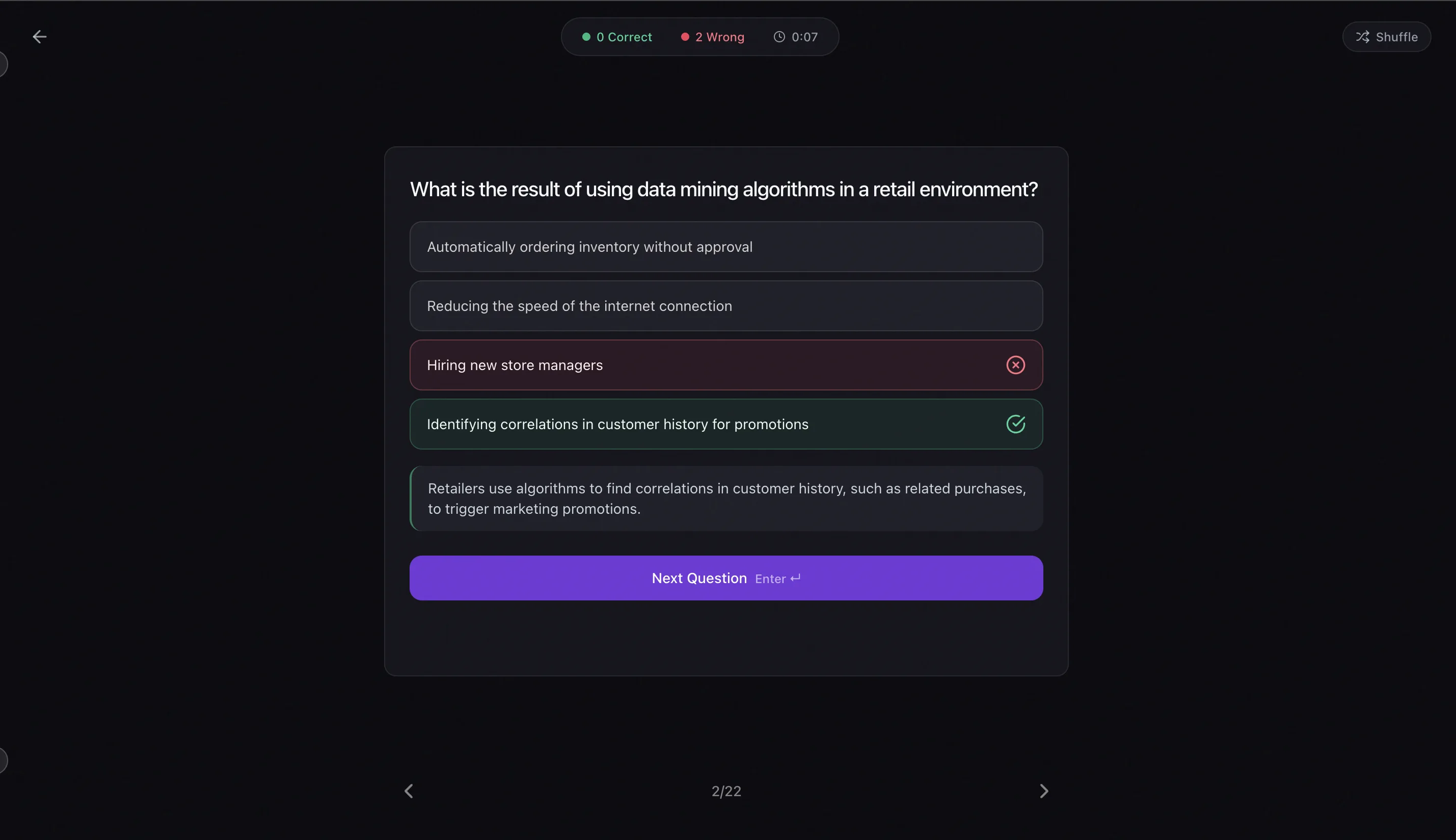
- What I liked: One upload produces quiz, flashcards and notes. Wrong answers become flashcards without being asked. Audio and photos work. An AI tutor explains why a given answer was wrong, which is more useful than being told that it was.
- What I did not like: 28 questions versus Quizgecko's 40 on the same chapter. No matching or ordering question types. One free upload is a thin trial next to NoteGPT's free tier. It is built for one person studying, so if you need to hand a test to thirty students, this is the wrong shape of tool.
- Inputs: PDF, photos, audio recordings, pasted text, YouTube links.
- Outputs: Quiz in four formats, flashcards, summary notes, an audio podcast version of the material, Anki export. Apps on iOS and Android, and the interface runs in seven languages on the web and nine on mobile.
- Cost: One free upload, no card. Then $1.99/week, $4.99/month or $39.99/year.
Try it on one of your own files before you believe any of this.
2. Quizgecko — the most powerful engine here
If you rank purely on the quiz itself, Quizgecko wins and it is not especially close. More than ten question types, including matching, ordering and short answers the AI will grade for you. The biology chapter produced 40 questions and the quality was visibly a step above the simpler tools; this is where the ATP-yield question I quoted earlier came from.
The problem is who it is for. Quizgecko is built and priced for teachers, course creators and corporate training teams. The student-relevant plan runs about $12-15 a month, and a good half of what you are paying for — API access, SCORM export, branded quizzes — has no meaning if you are one person revising for finals.
- What I liked: Question variety nothing else here matches. AI-graded short answers. Highest question count per upload. Handles image-based questions well.
- What I did not like: No audio input. Quizzes only: no flashcards, no notes, no review scheduling. The interface is full of options a student will never touch. Expensive for what a student uses.
- Best for: Anyone making quizzes for other people: TAs, tutors, graduate students building practice tests for a study group.
- Cost: Limited free tier; paid from around $12/month.
3. Revisely — the cleanest thing on this list
Revisely has the best interface here by some distance, and it earns that by refusing to do very much. Paste text or upload a file, choose a number of questions, generate. There is nothing else on the screen.
The biology chapter gave me 20 multiple-choice questions. Most were accurate and usable. A handful leaned on definitions rather than application, but nothing was wrong enough to throw out. It does what it says.
Its narrowness is the whole trade. No audio, no YouTube, no flashcard export, no review scheduling. You get a quiz. If you want the rest of a study system you will be assembling it yourself out of other apps.
- What I liked: Fastest to learn. Quick generation. Reliable multiple choice from typed or pasted text.
- What I did not like: Text in, quiz out, nothing around it. Free tier caps arrive quickly.
- Best for: Students who work from typed notes and want a quiz maker rather than a study platform.
- Cost: Limited free tier; paid around $7/month.
4. NoteGPT — the free one that actually works
Of the free tools I tried, NoteGPT is the one I would tell someone to use. Paste a YouTube URL or some text and you have a quiz inside a minute. The YouTube-to-quiz path is genuinely good, which surprised me for something that costs nothing.
Quality on the biology chapter was mixed. Roughly seven questions in ten were worth keeping; the rest were shallow or repeated each other. That is fine for a quick pass over a topic and thin for exam preparation.
You pay for it in attention. Ads appear every few clicks, upsells are persistent, and rate limits arrive after a handful of generations. It is a reasonable place to start and most people will outgrow it.
- What I liked: A free tier that is actually usable. YouTube-to-quiz works well. No signup wall to get going.
- What I did not like: Ads throughout. Rate limits. No retake tracking, no flashcards, no scheduling. Question quality swings.
- Best for: Occasional quizzes on no budget, especially from recorded lectures already on YouTube.
- Cost: Free with ads; around $10/month to remove limits.
5. ChatGPT — if you are already paying for it
You do not strictly need any of these tools. A decent prompt — something like "generate 15 multiple-choice questions testing application-level understanding of this text, with an explanation for each answer" — gets you a usable quiz. If ChatGPT Plus is already on your card, this costs nothing extra.
What you do not get is persistence. Close the conversation and the quiz is gone. Nothing recorded which questions you missed, nothing scheduled a second attempt, nothing turned your gaps into review material. It is a worksheet for one evening, which is a real thing to want the night before an exam and is not a study system.
It also handles a PDF happily and a lecture recording poorly. Purpose-built tools are better at getting messy student material in the door.
- What I liked: No extra subscription if you already pay. Completely steerable by prompt. Will explain any answer as deeply as you push it.
- What I did not like: Nothing persists. No retakes, no scheduling, no record of what you missed. Output quality tracks your prompting skill. Weak with audio.
- Best for: One-off quizzes, and anyone who does not want another subscription.
- Cost: Free tier works; Plus is $20/month.
Side by side
| Tool | Best for | Monthly price | Audio input | Outputs from one upload |
|---|---|---|---|---|
| Laxu AI (disclosed: my product) | Quiz, flashcards and notes from one upload | $4.99/mo | Yes | 4 — quiz, flashcards, notes, podcast |
| Quizgecko | Complex question types | ~$12/mo | No | 1 — quiz only |
| Revisely | Simple text-based quizzes | ~$7/mo | No | 1 — quiz only |
| NoteGPT | Free YouTube-to-quiz | Free (ads) | No | 1 — quiz only |
| ChatGPT | One-off prompts | $20/mo (Plus) | Limited | 0 — nothing is saved |
Most AI quiz generators are the same model with a different logo
Worth saying plainly: nearly every tool in this category is a prompt sitting on top of one of a small number of large language models. The underlying question generation is close to a commodity. What actually separates them is everything around the quiz: whether wrong answers are remembered, whether a second attempt gets scheduled, whether your lecture recording can get in the door at all.
Which is why I would not pay $12 a month for a tool that only makes quizzes. That part you can get from ChatGPT for the price of a good prompt.
Does any of this actually help you learn?
The reason to bother with quiz generation at all is that testing yourself is one of the few study techniques with strong evidence behind it. Dunlosky and colleagues (2013) reviewed ten widely used techniques and rated only two as high utility: practice testing and distributing your study over time. Highlighting and rereading — the two things most students actually do — came out low.
The size of the effect is worth knowing. A meta-analysis by Adesope, Trevisan and Sundararajan (2017), covering 188 experiments, found practice testing beat rereading with an effect size of g = 0.51. That is a solid, real advantage, and well short of a miracle. The eye-catching numbers you see quoted around the internet come from Karpicke and Roediger (2008), where repeated retrieval produced about 80% recall a week later against 36% for repeated study. That was foreign-vocabulary learning under fairly specific conditions. Their earlier 2006 study on prose passages, which is closer to how you would actually revise a textbook chapter, found 56% against 42%. Both are worth having. Neither is 80% for everything, and you should be suspicious of any study app that quotes the bigger number without saying where it came from.
The practical implication for choosing a tool: the generation step is not where the benefit lives. The benefit lives in taking the quiz, getting things wrong, and meeting those same things again after a delay. Whichever tool you pick, that loop is the thing to check for.
So which one
If you want one tool for the whole thing: Laxu AI, with the disclosure above firmly in mind. Quiz, flashcards and notes from a single upload, and the only one that took the lecture recording.
If the quiz itself is what you care about: Quizgecko. Nothing here matches it for question variety, and if you are writing tests for other people it is the obvious choice.
If you want to think about it as little as possible: Revisely.
If you are not spending money: NoteGPT, and put up with the ads.
If ChatGPT Plus is already on your card: just prompt it, and accept that nothing is saved.
All five have a free tier. Run your own material through two or three of them. An hour of that will tell you more than any comparison written by someone with a product in the race, this one included.
Also available in Spanish, Portuguese and Japanese.
Frequently Asked Questions
What is the best AI quiz generator for students in 2026?
Is there a free AI quiz generator?
Can AI generate a quiz from a PDF?
Can I generate a quiz from a lecture recording?
What makes a good AI-generated quiz question?
How is Laxu AI different from Quizgecko?
Are AI quiz generators accurate?
Can I just use ChatGPT instead of an AI quiz generator?
Related articles
Continue learning with these related posts.


Put these techniques into practice
Upload your study materials and let Laxu AI create flashcards, notes, and quizzes automatically.