7 Best Spaced Repetition Apps in 2026: Hands-On Comparison
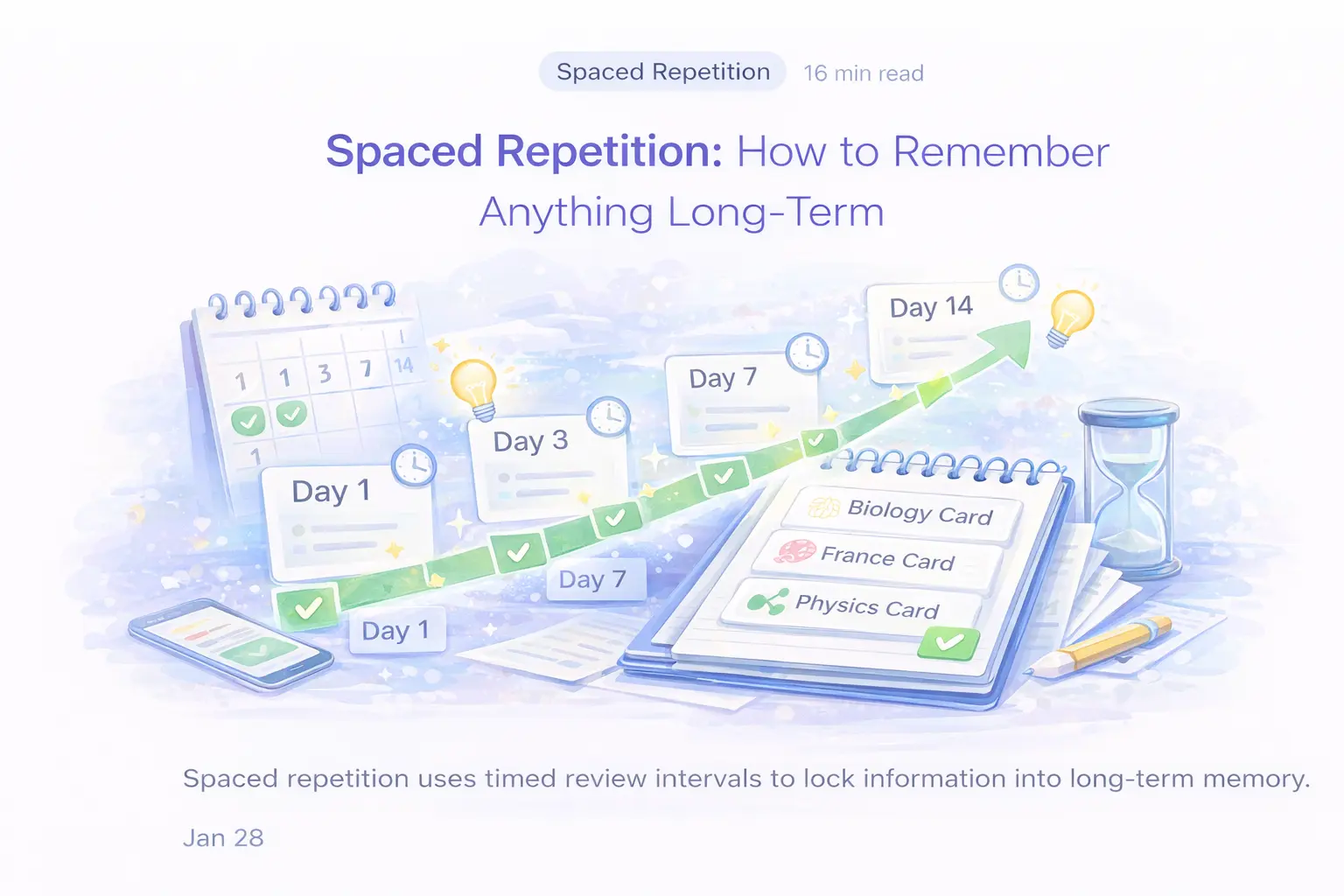
Spaced repetition is the single most effective study technique according to Dunlosky et al. (2013), who ranked it as having "high utility" across all ages, subjects, and ability levels. But the app you use to practice it matters. This is a hands-on feature comparison of 7 spaced repetition apps: which scheduling algorithm each one actually runs, what its free tier really allows, which platforms it covers, and what it costs. Last verified: August 2026.
Disclosure: Laxu AI publishes this comparison and Laxu AI is one of the tools reviewed. Competitor capabilities and pricing were verified against each vendor's own site in August 2026.
Our top 3 picks
- #1 Laxu AI — Best overall. AI generates flashcards from PDFs/images/audio + built-in spaced repetition. Web, iOS and Android, and decks export to Anki. $4.99/mo or $39.99/year.
- #2 Anki — Best free option. SM-2 by default with FSRS an opt-in, and every scheduling parameter is user-tunable. Free on Windows, Mac, Linux and Android; $24.99 once on iOS.
- #3 Brainscape — Best for curated content. Confidence-Based Repetition on a 1-5 self-rating, with expert-made decks. Its free tier already covers unlimited flashcards and spaced repetition; Pro from $7.99/mo.
What is spaced repetition and why does it work?
Spaced repetition is a study method that schedules flashcard reviews at increasing intervals — you see a card right before you'd forget it. This exploits the spacing effect, first documented by Hermann Ebbinghaus in 1885, which shows that information is retained longer when study sessions are spread out over time rather than crammed into one session.
The science is robust. Cepeda et al. (2006) analyzed 254 studies involving 14,000+ participants and confirmed that distributed practice produces significantly better long-term retention than massed practice. Roediger and Karpicke (2006) found that students who practised retrieval recalled 61% of a passage a week later, against 40% for students who re-read it four times - about 50% more (Roediger & Karpicke, Psychological Science, 2006). The delay matters: on an immediate test in the same study, the re-readers came out ahead. For a deep dive into the science, see our complete spaced repetition guide.
The practical question is: which app implements this science best?
New to the method itself? Start with our explainer on how spaced repetition works, then come back here for the comparison.
Laxu AI is also on your phone
Take a photo of your textbook or notes and get notes, flashcards and a quiz made for you. Free to try.
How we compared them — and what we did not measure
This is a hands-on feature comparison, not a controlled trial. We did not run a fourteen-day retention study across seven apps, so we are not going to publish a retention percentage for each one. A retention number invented for an article is worse than no number at all: it looks like evidence. Here is what this comparison actually rests on:
- Prices and free-tier limits — read off each vendor's own pricing page, help centre, or US App Store listing
- Scheduling behaviour — taken from the Anki manual for Anki, and from each vendor's own feature descriptions for the rest
- Platform availability — checked against each vendor's own download links and store listings
- Judgements — the ranking and the verdicts are opinion, informed by those facts and labelled as such
Prices move, and free tiers move faster. Last verified: August 2026 — check the vendor's own page before you pay.
What to look for in a spaced repetition app
Not all spaced repetition is created equal. Before the app reviews, here are five criteria that actually matter based on the cognitive science literature:
- SRS algorithm quality: SM-2 (Anki), FSRS, or proprietary? The algorithm determines how efficiently you reach long-term retention. Poorly spaced reviews waste time; over-spaced reviews let you forget. Bjork and Bjork (1992) showed that optimal difficulty — reviewing at the edge of forgetting — maximizes learning.
- Card creation speed: The biggest barrier to using spaced repetition is creating cards. Roediger and Karpicke (2006) proved that testing yourself is more effective than re-reading, but if card creation takes 2 hours for a single lecture, most students won't do it. AI generation solves this.
- Platform and offline access: You need to review daily. If the app only works on one platform or requires WiFi, you'll miss sessions — and Kornell (2009) showed that even one missed review day significantly reduces retention.
- Content ecosystem: Pre-made decks for your subject save hours. But quality varies wildly — verified, expert-curated decks outperform crowdsourced content.
- Pricing transparency: Some apps advertise "free" but lock spaced repetition behind a paywall. We list the actual cost to use each app's SRS features.
Comparison table: 7 spaced repetition apps
| App | SRS algorithm | AI card generation | What the free tier allows | Platforms | Price |
|---|---|---|---|---|---|
| Laxu AI | SM-2 adapted | Yes (PDF, image, audio) | First upload free, all features | Web, iOS, Android | $4.99/mo or $39.99/yr |
| Anki | SM-2, FSRS opt-in | No | The whole app, free | Win, Mac, Linux, Android, AnkiWeb, iOS | Free / $24.99 once on iOS |
| Brainscape | Confidence-based (1-5) | Yes, capped on free | Unlimited flashcards + spaced repetition + capped AI | Web, iOS, Android | Pro from $7.99/mo |
| Quizlet | Adaptive Learn mode | Yes (Magic Notes) | Study guides "limited access"; first audio recording free | Web, iOS, Android | Plus $7.99/mo or $35.99/yr |
| RemNote | SM-2 variant | On the Pro with AI tier | Unlimited notes and cards, but 3 annotated PDFs total | Web, Win, Mac, iOS, Android | Pro $8/mo ($96/yr); Pro with AI $18/mo ($216/yr) |
| StudyFetch | Not publicly documented | Yes | Limited uploads (site blocks automated checking) | Web, iOS, Android | Premium $19.99/mo or $96/yr |
| Knowt | Not publicly documented | Yes, free | Unlimited learn mode, matching, spaced repetition, practice tests | Web, iOS, Android | Free for students |
Prices and free-tier limits read off each vendor's own pricing page, help centre, or US App Store listing in August 2026. StudyFetch's site blocks automated access, so its figures come from its US App Store listing.
1. Laxu AI — Best overall spaced repetition app
Best for: Students who want AI-generated flashcards with real spaced repetition scheduling — not just a mastery score.
Laxu AI solves the two biggest problems with spaced repetition: card creation and scheduling. Upload a PDF, take a photo of your notes, or record a lecture, and the AI generates flashcards in seconds. Then the built-in spaced repetition algorithm schedules reviews at optimal intervals — short gaps for new or difficult cards, longer gaps as your mastery grows.
How Laxu AI's spaced repetition works
The algorithm uses an adapted SM-2 approach where your mastery level acts as the ease factor. Get a card right? The interval grows exponentially — 1 day, 3 days, then scaled by your ease factor (1.3x to 3.3x depending on mastery). Get it wrong? It drops back to a short interval (10 minutes for low-mastery cards, 12 hours for higher-mastery cards). This follows the "desirable difficulty" principle from Bjork and Bjork (1992): reviews happen at the point of maximum learning benefit.
What we liked
- Setup time: under 2 minutes. Upload a 30-page PDF and get 50+ flashcards instantly. With Anki, creating 50 cards manually takes 2-3 hours.
- Multiple input formats: PDFs, images (including handwritten notes), and audio recordings. Of the seven apps here, only StudyFetch also takes all three.
- Multiple quiz modes: Flashcards, multiple choice, true/false, fill-in-the-blank. Butler (2010) showed varied testing formats improve retention over single-format review.
- Due cards prioritized: Cards due for review appear first, sorted by lowest mastery. You always study what matters most.
- $4.99/month, or $39.99/year: A quarter of StudyFetch Premium's $19.99/month App Store price.
What we didn't like
- No desktop app — web, iOS and Android only
- No shared deck library — you study your own materials
- Algorithm is simpler than Anki's fully customizable SM-2
Try it free
Upload your first PDF to Laxu AI and see the AI flashcard quality with your actual study materials. Spaced repetition scheduling starts automatically from your first review.
2. Anki — Best free spaced repetition app
Best for: Power users who want maximum control over their spaced repetition algorithm and don't mind creating cards manually.
Anki is the benchmark all other SRS apps are measured against. Its SM-2 algorithm (originally developed by Piotr Wozniak in 1987) has been refined over decades and is backed by extensive research. The manual now also documents FSRS — the Free Spaced Repetition Scheduler — as "an alternative to Anki's legacy SuperMemo 2 (SM-2) algorithm", switched on from deck options. No other app here lets you see, let alone change, the maths behind your review queue.
How Anki's spaced repetition works
Anki uses a modified SM-2 algorithm with four response buttons: Again, Hard, Good, Easy. Each button adjusts the card's ease factor and interval differently. New cards follow a learning phase (1 min, 10 min, then graduate to 1 day). Graduating cards enter the review phase where intervals grow multiplicatively based on ease factor (default 2.5x). The "Again" button resets the card to relearning.
You can customize nearly everything: initial intervals, ease factor bounds, interval modifiers, new card limits, and more. This is both Anki's greatest strength and biggest weakness.
What we liked
- Two published schedulers, both tunable: SM-2 by default, FSRS one checkbox away, with ease factors, interval modifiers and new-card limits all exposed
- Free on desktop and Android. Truly free, not "free with limits"
- Massive add-on ecosystem: 1,000+ plugins for everything from image occlusion to auto-scheduling
- AnkiWeb sync: Study across all your devices
- Shared deck library: Thousands of pre-made decks for medicine, languages, law, and more
What we didn't like
- Steep learning curve: deck options expose ease factors, interval modifiers and new-card limits before you have reviewed a single card, and the add-on ecosystem that smooths this over is entirely unsupported
- Manual card creation: no AI generation. You write every card yourself, or you take a shared deck and trust a stranger's accuracy
- iOS app costs $24.99 — a one-time purchase from Anki Software, LLC, but jarring when everything else is free
- Dated UI: The interface hasn't meaningfully changed in years
Verdict: If you're willing to invest time learning the interface and creating cards manually, Anki delivers the best pure spaced repetition. If you want the same science with 90% less setup time, Laxu AI is the better choice. See our detailed Anki comparison.
3. Brainscape — Best for curated content and confidence-based learning
Best for: Students preparing for standardized tests (MCAT, bar exam, AP) who want expert-made decks with adaptive review.
Brainscape takes a different approach: instead of SM-2, it uses Confidence-Based Repetition (CBR). After each card, you rate your confidence from 1-5. Cards rated 1 appear frequently; cards rated 5 appear rarely. It is simpler than SM-2, and Brainscape is unusually generous about giving it away — its own site says it is free to "make or import unlimited flashcards, share flashcards with peers or students, study with spaced repetition, try our AI features, and set custom study reminders."
What we liked
- Expert-curated decks: Their marketplace includes decks made by professors and professionals — higher quality than crowdsourced Anki decks
- Intuitive interface: Zero learning curve. The 1-5 confidence rating is immediately understandable
- Cross-platform: Web, iOS, Android with full offline access
- Study progress analytics: Clear mastery percentages per subject
What we didn't like
- Pro from $7.99/month — for a tool with no AI card generation at all
- No AI card generation — create manually or buy from marketplace
- Algorithm is less precise than SM-2 — 5 confidence levels vs Anki's mathematical ease factor
Verdict: Excellent if you want curated, high-quality decks without building your own. Not ideal if you need cards from your specific lectures or custom materials. See our Brainscape comparison.
4. RemNote — Best for combining notes and spaced repetition
Best for: Students who want note-taking and flashcard review in a single app with built-in SRS.
RemNote is the only app in this list that combines a full note-taking system with built-in spaced repetition. As you type notes, you can convert any line into a flashcard with a keyboard shortcut. The SRS algorithm (an SM-2 variant) then schedules those cards for review — your notes automatically become your study material.
What we liked
- Notes → flashcards in one click: Eliminates the separate card-creation step entirely
- Unlimited notes and flashcards on the free plan — the caps are on features, not on volume
- Full offline support across all platforms
- PDF annotation: Highlight PDFs and turn highlights into flashcards
What we didn't like
- The free plan stops at 3 annotated PDFs, 5 image-occlusion cards and 1 handwritten document — that is a total, not a monthly allowance, and it is the wall most people hit first
- Learning curve: The note-taking system has its own concepts (rem, portals, power-ups) that take time to learn
- AI sits on the top tier: AI flashcards from PDFs and the lecture recorder are Pro with AI only
- $8/month ($96/yr) for Pro, and $18/month ($216/yr) for Pro with AI — the most expensive option in this comparison
Verdict: The best choice if you want one app for both notes and spaced repetition. But if you already have a note-taking system you like, a dedicated SRS tool will be more efficient. See our RemNote comparison.
5. Quizlet — Most popular but weakest spaced repetition
Best for: Students who want access to a library of user-created study sets that dwarfs everything else here, with adaptive rather than interval-based review.
Quizlet is the most widely used flashcard app, but its spaced repetition is its weakest feature. The "Learn" mode adapts to your performance by showing missed cards more often; it does not implement true interval-based scheduling like SM-2, and Quizlet does not claim it does. What Quizlet has built instead is input breadth: its AI flashcard generator page invites you to "upload a PDF" or "snap a photo of your notes", it takes PowerPoint and Google Slides, and since July 2026 it records lectures too.
What we liked
- Massive content library: hundreds of millions of user-created flashcard sets — you can find decks for almost anything
- Takes almost any input: PDFs, photos of handwritten notes, PowerPoint and Google Slides, and since 29 July 2026 lecture recordings too
- Clean, intuitive interface with multiple study modes (Learn, Write, Match, Test)
- Collaborative features: Share decks with classmates and study groups
What we didn't like
- Audio is metered: Quizlet's own page says "Your first recording is free. After that, Audio Recording is a Plus feature" — and it does not work on mobile web at all
- Study guides are capped on free: "Free users can generate study guides for free with limited access," per Quizlet
- No AI tutor and no study podcasts — if you want something to explain a concept back to you, Quizlet has no equivalent
- No true spaced repetition intervals — "adaptive" isn't the same as SM-2-based scheduling
Verdict: Great for access to existing content and collaborative studying. Poor for actual spaced repetition science. If interval scheduling matters, use a real SRS tool. On price, be honest about the maths: Quizlet Plus is $7.99/month or $35.99/year and Plus Unlimited is $9.99/month or $44.99/year, so Plus billed annually is cheaper than Laxu AI Pro. See our Quizlet comparison.
6. StudyFetch — AI-heavy but weak on SRS
Best for: Students who want AI-generated study materials from lectures and don't prioritize spaced repetition.
StudyFetch offers strong AI generation — upload lectures and get flashcards, quizzes and summaries, plus Spark.E, a voice-to-voice AI tutor. What it does not offer is any published account of how its review scheduling works: no manual, no algorithm name, no interval documentation. studyfetch.com also blocks automated access to its pricing page, so every figure below comes from its US App Store listing.
What we liked
- Spark.E, a voice-to-voice AI tutor: you can talk to it about your uploaded material rather than only typing
- Good AI card generation from lectures and documents
- Multiple study modes beyond just flashcards
What we didn't like
- No published scheduling model — unlike Anki, there is no manual telling you how or when a card comes back
- $19.99/month or $96/year on its US App Store listing — four times Laxu AI's monthly price
- Pricing you cannot check from outside: the pricing page returns a 403 to automated requests, so the App Store listing is the only figure we can stand behind
- Extras billed on top: the same listing sells Spark.E call time by the hour separately from Premium
Verdict: The voice tutor is genuinely good, but at $19.99/month with no published scheduling model, it's hard to recommend over Laxu AI ($4.99/month, a documented SM-2-adapted scheduler, iOS and Android). See our StudyFetch comparison.
7. Knowt — Best completely free AI option
Best for: Budget-conscious students who want AI quiz generation with basic spaced repetition at zero cost.
Knowt positions itself as a free Quizlet alternative with AI features, and it means it. Its own site promises "unlimited rounds of our free learn mode, matching game, spaced repetition or practice test mode" — the things Quizlet meters — plus AI flashcard generation and a one-click importer that brings your existing Quizlet sets across.
What we liked
- Genuinely free: AI generation and study features without a paywall — rare in 2026
- Import from Quizlet: its own wording is "easily bring over your existing Quizlets to Knowt and start studying them completely free in seconds"
- Spaced repetition is in the free tier, not sold back to you as a premium mode
What we didn't like
- The scheduler is undocumented — Knowt does not publish how its spaced repetition picks intervals, so you cannot check it the way you can check Anki's
- The paid tiers are not aimed at you: $12.49/month billed annually ($149.99) or $24.99/month, and what they buy is classroom tooling — monitored AI chat, auto-graded assessments, AP mock exams
- "Free" is a business decision, not a property: a free tier this generous is a stage in a company's growth, so keep your cards exportable
Verdict: The best option if you can't pay anything, and genuinely hard to argue with at $0. If $4.99/month is feasible, Laxu AI adds image and audio input, AI notes and a published scheduling model. See our Knowt comparison.
Which spaced repetition app should you choose?
Your ideal app depends on your priorities. Here's our decision framework:
Decision guide
- Want the shortest path from a lecture to a review queue? → Laxu AI. AI handles card creation; SRS handles scheduling. $4.99/mo or $39.99/yr.
- Want maximum algorithmic control? → Anki. Best algorithm, fully customizable, free — but you make every card manually.
- Want expert-curated test prep decks? → Brainscape. High-quality pre-made content with confidence-based review.
- Want notes and flashcards in one app? → RemNote. Built-in SRS inside a full note-taking system.
- Want access to millions of pre-made decks? → Quizlet. Massive library, but weak SRS. Consider pairing with a real SRS tool.
- Can't spend anything? → Knowt (AI) or Anki (manual). Both free, different trade-offs.
Best combination for serious students
Many top students combine tools: take notes in Notion or OneNote, generate flashcards with Laxu AI from their PDFs, and review daily with the built-in SRS. This workflow takes under 15 minutes per day and leverages the two highest-rated study techniques from Dunlosky et al. (2013): spaced repetition and practice testing.
The scheduler matters more than the feature list
Two apps can both use the words "spaced repetition" and do completely different things. An interval-based scheduler like SM-2 or FSRS computes a due date per card from your own answer history, days or weeks ahead. An adaptive Learn mode just resurfaces what you missed inside the current session. Pashler et al. (2007) showed that small improvements in review efficiency compound over a semester, which is why it is worth knowing which of the two you are actually buying — and why an app that publishes its algorithm is easier to trust than one that does not.
The science behind our rankings
Our rankings weigh algorithm quality heavily because the research is unambiguous. Cepeda et al. (2006) demonstrated that the optimal inter-study interval depends on the retention interval — there's a mathematical relationship between when you review and how long you remember. Anki, Laxu AI and RemNote each schedule against that relationship with a documented interval algorithm. Quizlet's Learn mode does not, and StudyFetch and Knowt do not publish theirs at all, so you are trusting rather than checking.
Karpicke and Roediger (2008) further showed that the testing effect — the act of retrieving information from memory — is itself a powerful learning event. Every time an SRS app tests you on a card, you're strengthening the memory trace. This is why passive review modes (re-reading summaries, watching AI-generated explanations) produce lower retention than active flashcard review with immediate feedback.
For the full science behind spaced repetition, including optimal interval calculations and how to combine it with other techniques, read our complete spaced repetition guide.
The bottom line
Laxu AI is the best spaced repetition app for most students in 2026. It combines AI-powered card creation (the #1 barrier to using SRS) with a documented spaced repetition algorithm, at $4.99/month or $39.99/year. It is not the cheapest thing on this page — Anki and Knowt are free, and Quizlet Plus billed annually comes to $35.99 — but nothing else here turns a PDF, a photo and an hour of recorded audio into a review queue. Anki remains unbeatable for power users who want maximum control and don't mind manual card creation.
Whichever app you choose, the most important thing is consistency. Kornell (2009) showed that daily review sessions — even short ones — produce dramatically better retention than longer sessions spaced further apart. Pick an app, start with one deck, and review every day. The science will do the rest.
Try Laxu AI free — upload a PDF and see spaced repetition in action with your actual study materials.
Related guides: How spaced repetition works (complete guide) · Active recall study method · How to make effective flashcards · Best study apps for students 2026 · Best flashcard apps 2026 · PDF to flashcards guide
Frequently Asked Questions
What is the best spaced repetition app in 2026?
Is Anki still the best spaced repetition app?
Does Quizlet use spaced repetition?
What is the difference between spaced repetition and regular flashcards?
How long should I study with spaced repetition each day?
Related articles
Continue learning with these related posts.
Put these techniques into practice
Upload your study materials and let Laxu AI create flashcards, notes, and quizzes automatically.