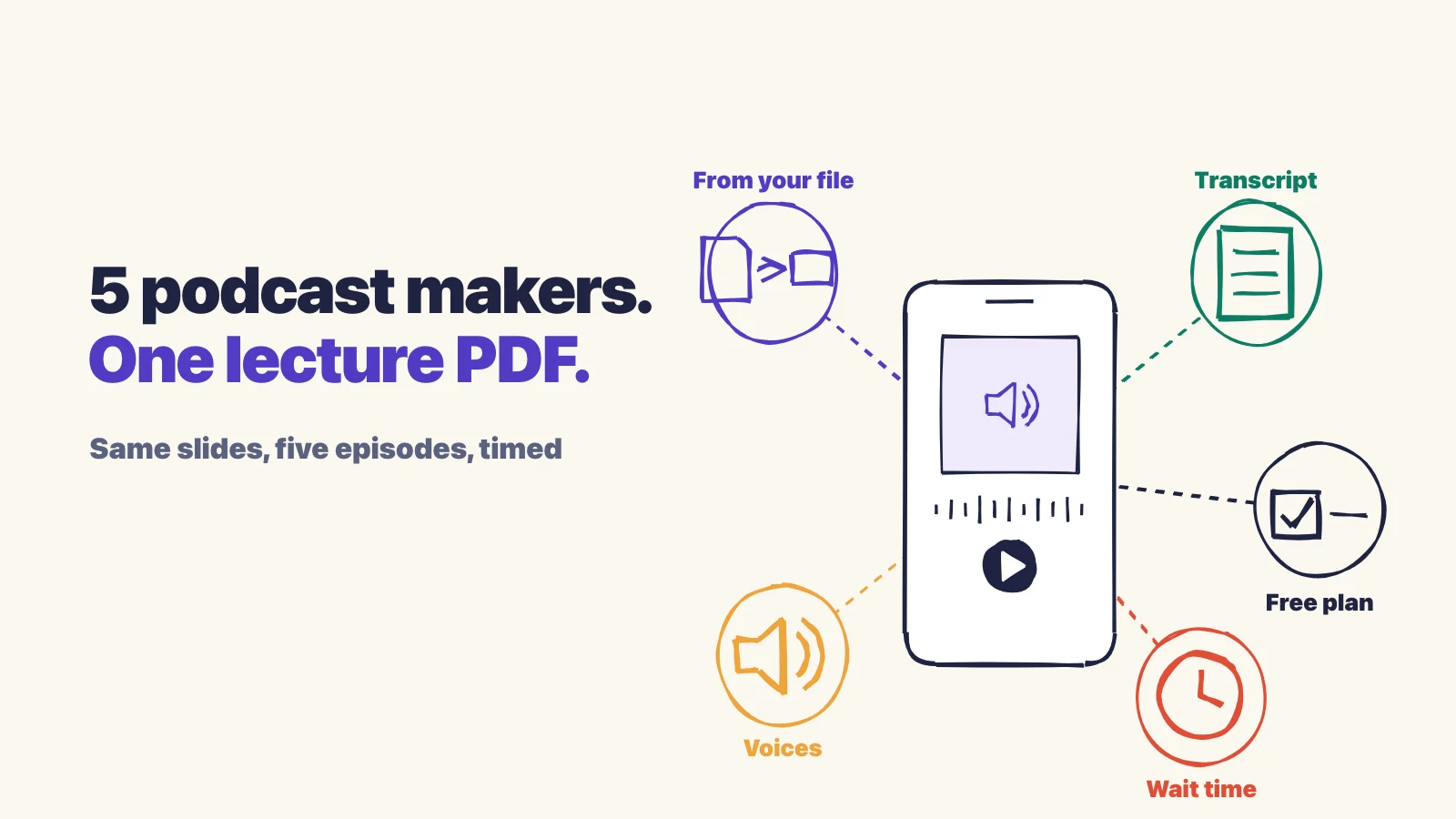
For the most audio options at no cost, use Gemini Notebook (formerly NotebookLM). For a podcast plus flashcards and a quiz from the same upload, use Laxu AI. Turbo AI adds chapters and a choice of voices, StudyFetch starts playing fastest, and Quizlet suits you if your notes already live there. We tested all five on the same PDF.
Laxu AI publishes this guide and is one of the five apps, so weigh our section with that in mind. No app paid to be included. The apps are listed alphabetically, not ranked. Prices come from each app's own upgrade page, checked on October 18, 2026.
Is there a free way to turn your notes into a podcast?
Yes. Laxu AI's free account includes one upload, and you can turn it into a podcast on the web and on iPhone, along with notes, flashcards and a quiz from the same file. Gemini Notebook makes audio episodes with a free Google account, within a usage limit shown on screen, so you can make several. Quizlet, StudyFetch and Turbo AI also gave us a podcast on free accounts, but each caps free use in its own way: Turbo AI keeps its longer episodes and extra voices for Premium, and its free credits ran out quickly in our test.
How we tested (October 2026)
- One file for every app: a 15-slide lecture PDF on advanced data mining, uploaded on the web on October 18, 2026.
- Default settings: where an app offered choices, we kept the defaults and noted what else was available.
- Accounts: free accounts for Gemini Notebook, Quizlet, StudyFetch and Turbo AI. For Laxu AI we used the podcast we had made from the same PDF on September 25, and took its timing from our own database.
- What we recorded: episode length, the wait until we could press play, the number of voices, what you can choose before generating, and what the player offers.
We did not test NoteGPT, Studley AI or other podcast tools, so they aren't in this list.
The five apps compared
| App | Episode from our PDF | Wait until you can listen | Voices | What you can choose | Paid plan (Oct 2026) |
|---|---|---|---|---|---|
| Gemini Notebook | 17:01 (default format and length) | 5 to 7 min | Two | Format, length, language, focus | Free with a usage limit; more with Google's paid AI plans |
| Laxu AI | 7:25 | 56 s | Two (Maya and Theo) | Nothing; it uses your notes' language | $1.99/week, $4.99/month or $39.99/year |
| Quizlet (Podcast, beta) | 7:16 | About 90 s | Two | A focus box only | Plus $7.99/month or $35.99/year; Plus Unlimited $9.99/month or $44.99/year |
| StudyFetch (Audio Recap) | About 6:45 | About 25 s (it streams while generating) | One, the app's mascot | Nothing; one click makes it | $19/month or $96/year |
| Turbo AI | 4:10 (Short) | About 1 min | Two, picked from a list | Language, voices, length, instructions | $20/month, or $10/month billed yearly |
What matters in an AI podcast generator for studying
A podcast app for studying has a different job from a podcast app for entertainment. These are the things that made a difference in our test:
- It sticks to your file. The episode should explain what is in your notes, not a generic version of the topic. A transcript is how you check: all five apps gave us one, so skim it against your slides before you trust a fact.
- You can find your place again. Turbo AI splits the episode into chapters, Quizlet time-stamps the transcript, and Laxu AI labels which host is speaking. Without one of these, going back to a single idea means scrubbing through the audio.
- The length fits how you'll use it. Gemini Notebook lets you pick Short, Default or Long, and Turbo AI offers Short or Long (Long is Premium). Laxu AI, Quizlet and StudyFetch each make one length, between about 6 and 8 minutes in our test.
- Speed and skip controls. Every app had a speed setting. The skip buttons were 10 seconds in Gemini Notebook and Quizlet, and 15 back and 30 forward in Laxu AI and StudyFetch.
- Private by default. Quizlet made our podcast public until we changed it. If your notes include anything you wouldn't post online, check this before you upload.
- Something to do after listening. All five apps can also make flashcards or a quiz. The difference is whether they come from the same upload automatically, as in Laxu AI, or one at a time on request.
- The price after the free part. Paid plans in our table run from $4.99 to $20 a month, and some free plans stop early: StudyFetch after two flashcard sets, Turbo AI when its credits run out.
The five apps, one by one
Gemini Notebook (formerly NotebookLM): best free option, most choices
Google renamed NotebookLM to Gemini Notebook in July 2026, and its Audio Overview is still the most flexible podcast maker we tried. Before generating you pick a format (Deep Dive, Brief, Critique or Debate), a length (Short, Default or Long), the language and an optional focus. The default Deep Dive from our PDF ran 17 minutes 1 second with two hosts, and an Interactive mode lets you break into the conversation with a question.
- Good: free with a Google account, the most formats and settings, and long, detailed episodes.
- Watch out: the long episode took 5 to 7 minutes to generate. It is a research notebook more than a study app, with no review schedule for what you learn.
Laxu AI: best for a podcast plus flashcards and a quiz from one upload
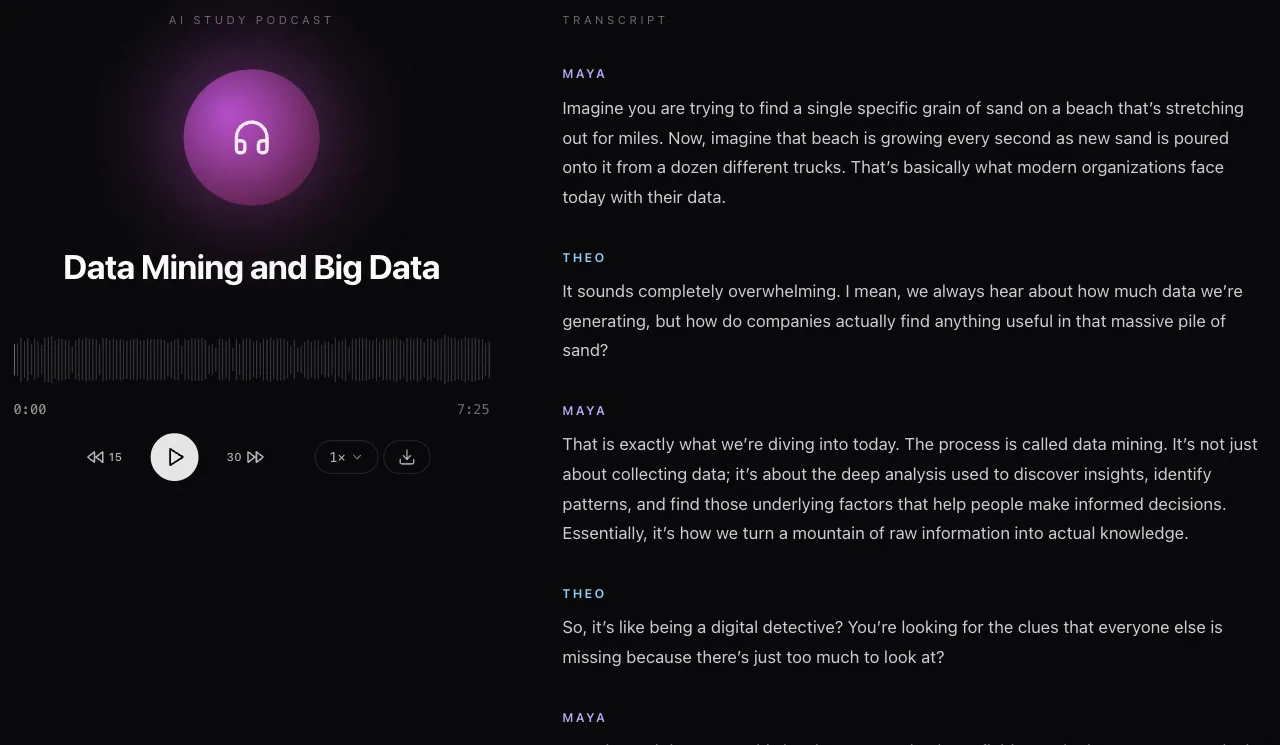
Laxu AI is the app we make. You upload a PDF, Word file, photos, a lecture recording or pasted text, open the Podcast tab, and two hosts, Maya and Theo, talk through your material for about 8 minutes in the language of your notes. From our test PDF the episode was ready in 56 seconds and ran 7 minutes 25 seconds. The same upload also gives you notes, flashcards and a quiz without extra clicks.
Our own usage data: in the 30 days to October 25, 2026, students made 1,666 podcasts on Laxu AI, 805 of them in English, averaging 8 minutes 10 seconds. Since we started tracking how far each episode is played (October 16 on the web, October 21 in the apps), 401 episodes were started and 261 were played to the end, which is 65%. On the web, 84% of the episodes that got past the first quarter, about two minutes, were finished.
- Good: fast, a transcript with speaker names, speeds from 1× to 2×, skip back 15 or forward 30 seconds, an audio download, and flashcards and a quiz from the same file. On iPhone and Android it keeps playing with the screen locked, with lock-screen controls. Free on the web and iPhone with your one free upload.
- Watch out: no choice of voice, length or format, and no chapters. On Android, podcasts are a Premium feature.
Quizlet (Podcast, beta): best if your notes already live in Quizlet
Quizlet's podcast can start from an upload (up to two .pdf, .docx or .pptx files, 25 MB), pasted text, Google Drive, or your existing flashcard sets and study guides. There are no voice or length settings, just an optional box to steer the topic. Ours was ready in about 90 seconds: 7 minutes 16 seconds with two voices and a time-stamped transcript.
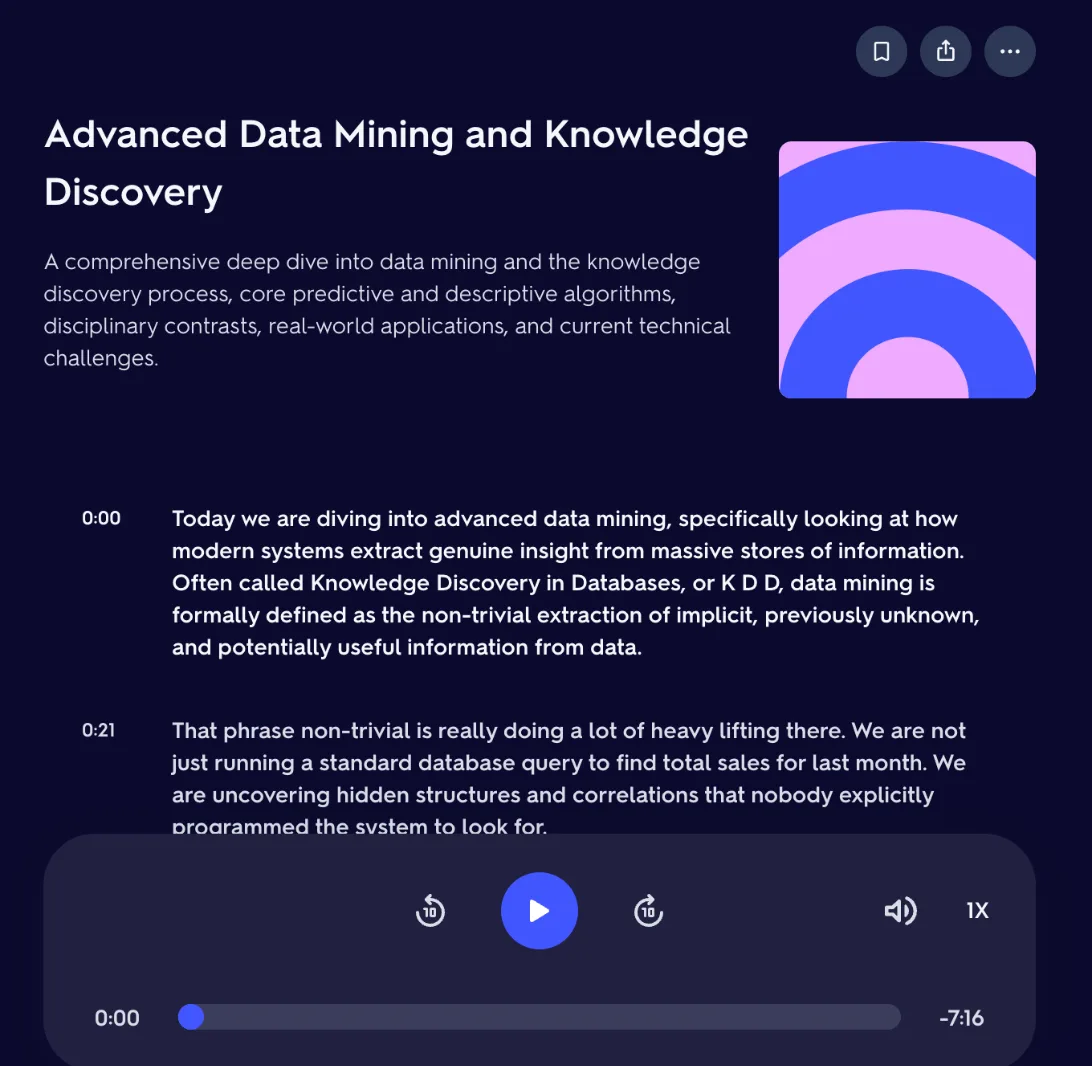
- Good: works from the sets and study guides you already have, and the transcript is time-stamped.
- Watch out: the podcast, like new sets and study guides, was public by default in our test, so switch it to private before you upload class notes. The transcript doesn't say which voice is speaking, and the skip buttons only move 10 seconds.
StudyFetch (Audio Recap): fastest to start playing
StudyFetch has no options at all: one click and the Audio Recap starts streaming about 25 seconds later, while the rest is still being made. It runs about 6 minutes 45 seconds and is read by one voice, the app's mascot, rather than two hosts.
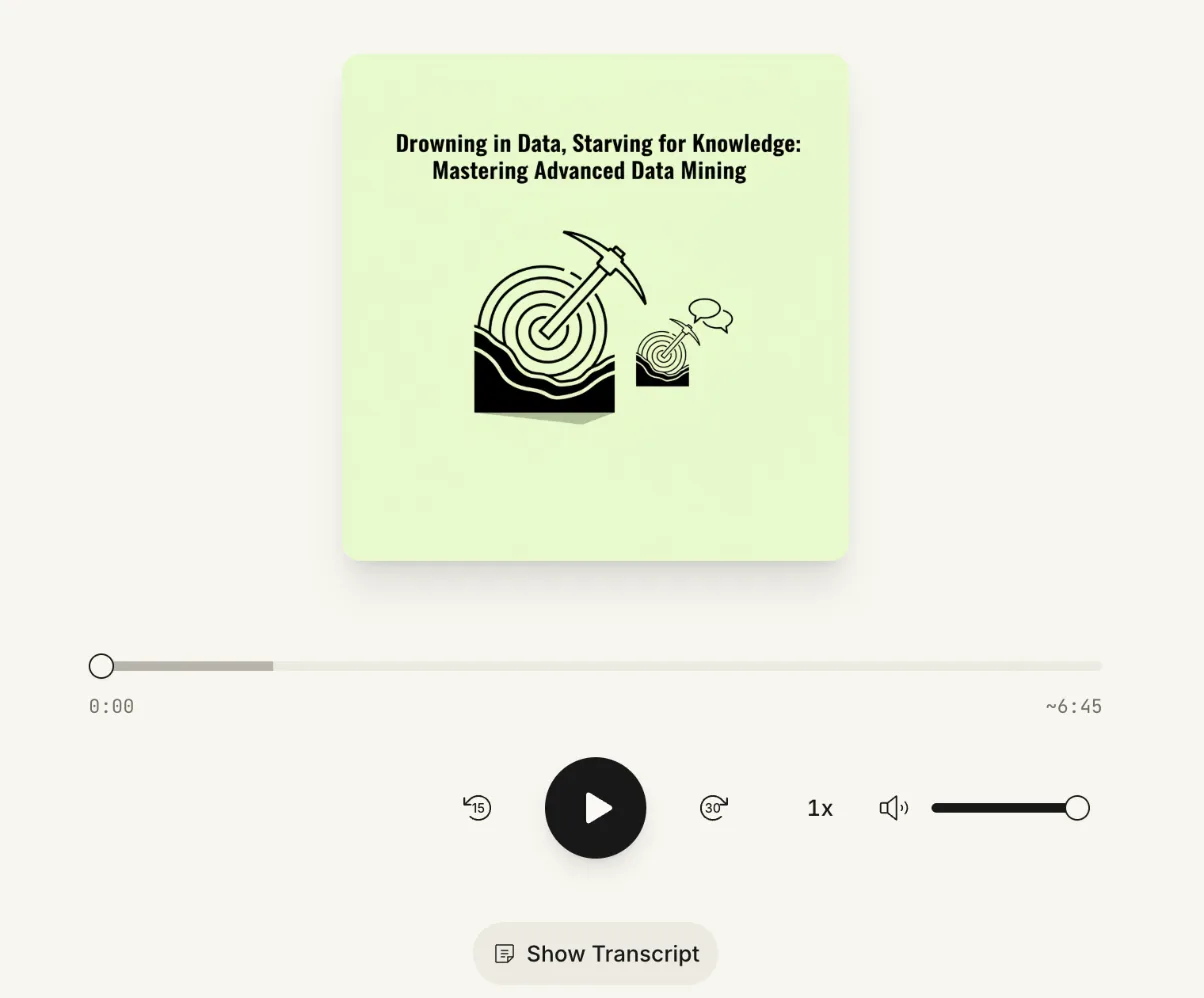
- Good: the shortest wait, plus a transcript, speed control, and skip back 15 or forward 30 seconds.
- Watch out: a single narrator with no settings, and at $19 a month it is one of the pricier options here. The free plan stopped us after two flashcard sets.
Turbo AI: best for chapters and choosing voices
Turbo AI lets you choose the language, two speakers and a length before generating: Short (3 to 5 minutes) on the free plan, Long (8 to 10 minutes) on Premium, with three more voices also kept for Premium. Our Short episode was ready in about a minute and ran 4 minutes 10 seconds. The player splits it into chapters with a time stamp and a one-line summary each, and a Raise Hand button lets you interrupt with a question.
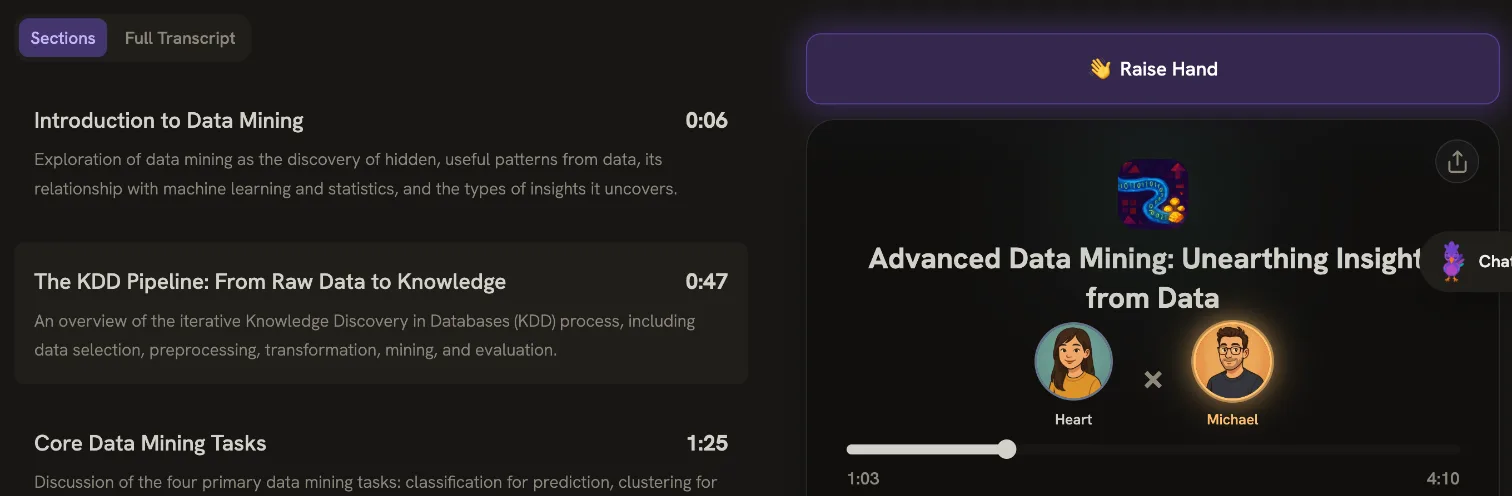
- Good: chapters with summaries, a choice of voices and length, a full transcript, and the option to ask a question mid-episode.
- Watch out: the longer episodes and extra voices need Premium at $20 a month, and our free credits ran out quickly.
Which one should you use?
- You want it free and don't mind waiting: Gemini Notebook.
- You want to listen, then test yourself on the same material: Laxu AI.
- You like to jump around an episode by topic: Turbo AI.
- You want to press play as soon as possible: StudyFetch.
- Your flashcards and study guides are already in Quizlet: Quizlet.
How long should a study podcast be?
Longer isn't automatically better or worse. The idea that students stop paying attention after 10 to 15 minutes is often repeated, but a review of the research behind it, Bradbury (2016), found the primary data don't support a fixed limit. The biggest differences in attention came from who was teaching, not from the format or the length.
We can't tell you how far people get through other apps' episodes, but we can show what happens with ours, which run about 8 minutes. Our own usage data, for episodes started between October 16 (web) or October 21 (apps) and October 26, 2026:
| Point in the episode | Web | iPhone | Android | All |
|---|---|---|---|---|
| Started | 310 | 67 | 24 | 401 |
| Past 25% | 226 | 57 | 22 | 305 (76%) |
| Past 50% | 207 | 55 | 21 | 283 (71%) |
| Past 75% | 193 | 53 | 21 | 267 (67%) |
| Finished | 189 | 51 | 21 | 261 (65%) |
Most of the drop happens in the first quarter, roughly the first two minutes, when people decide whether the episode is what they wanted. After that, very few stop. So pick the length by purpose: a short or brief episode for a review the night before, a longer one for a first pass through a new topic.
How to study with an AI podcast so it sticks
Listening is a fair way to take in a topic. A meta-analysis of 46 studies, Clinton-Lisell (2022), found no reliable difference in comprehension between reading and listening to the same material. Reading did better when people could set their own pace and on questions that asked them to connect ideas. What you do with the episode matters more than which app made it:
- Listen once without stopping. Get the shape of the topic before the details.
- Listen again with a pen. Pause when something isn't clear, skip back, and write the idea in your own words. In McKinney, Dyck and Luber (2009), students who took notes while listening to a lecture podcast scored higher on an exam a week later than students who attended the lecture.
- Speed up if it drags, but not past 2×. All five apps we tested have a speed setting, and Laxu AI's goes from 1× to 2×. In Murphy and colleagues' study (2021) of lecture videos, going from 1× to 1.5× or 2× cost little comprehension, while faster speeds did. Watching again at 2× right before the test helped, so the time you save is best spent on a second listen close to the exam.
- Say the key terms out loud. Words you say aloud are remembered better than words you read silently, an effect called the production effect (MacLeod et al., 2010). It works for the items you single out, so save it for definitions and names you need on the exam.
- Answer questions the same day. In Roediger and Karpicke (2006), students who tested themselves remembered more a week later than students who studied the material again. A short quiz on the topic is enough; see our guide to active recall.
- Come back over several days. Review with flashcards the next day and a few days later, using spaced repetition.
Can you listen to a podcast while studying something else?
Not while you read or write. In Martin, Wogalter and Forlano (1988), background speech hurt reading comprehension while instrumental music did not, and the harm came from the meaning of the words. A podcast is all meaningful speech, so playing one while you read your textbook makes both worse.
It works well when the rest of you is busy but your attention is free: walking, commuting, the gym or chores. That is why the Laxu AI apps keep a podcast playing on iPhone and Android with the screen locked. If you want sound while you read, instrumental music is the safer choice.
We ran the same PDF through these apps for notes and flashcards too; see our AI note-taking comparison. To try the Laxu AI podcast on your own notes, start free, no card needed, or read more on the AI podcast generator page.
Frequently Asked Questions
Is there a free way to turn my notes into a podcast?
Can NotebookLM turn my notes into a podcast?
Which AI podcast generator is fastest?
Can you listen to a podcast while studying?
How long should a study podcast be?
Does studying with podcasts actually work?
Related articles
Continue learning with these related posts.
Put these techniques into practice
Upload your study materials and let Laxu AI create flashcards, notes, and quizzes automatically.