Export your flashcards to Anki
Anki is very good at scheduling and completely indifferent to where cards come from. Making the cards is the part that eats the evening. If you already live in Anki, generating from your source material and exporting is a sensible split. Here is exactly what carries over and what does not.

Read this first: an .apkg carries cards, not review history. If you have been reviewing a deck in Laxu AI for weeks, exporting it restarts that progress on the Anki side. Decide which app owns your scheduling before you export, not after.
1. Generate the deck
Upload whatever you actually have — a PDF, a photo of handwritten notes, a lecture recording or pasted text, then open the Flashcards tab. The original input format makes no difference to the export.
2. Edit before you export, not after
Fix anything wrong while the deck is still in Laxu AI. Nothing syncs back after export, so a card you correct in Anki stays corrected only in Anki, and a second export would reintroduce the original.
3. Export as .apkg
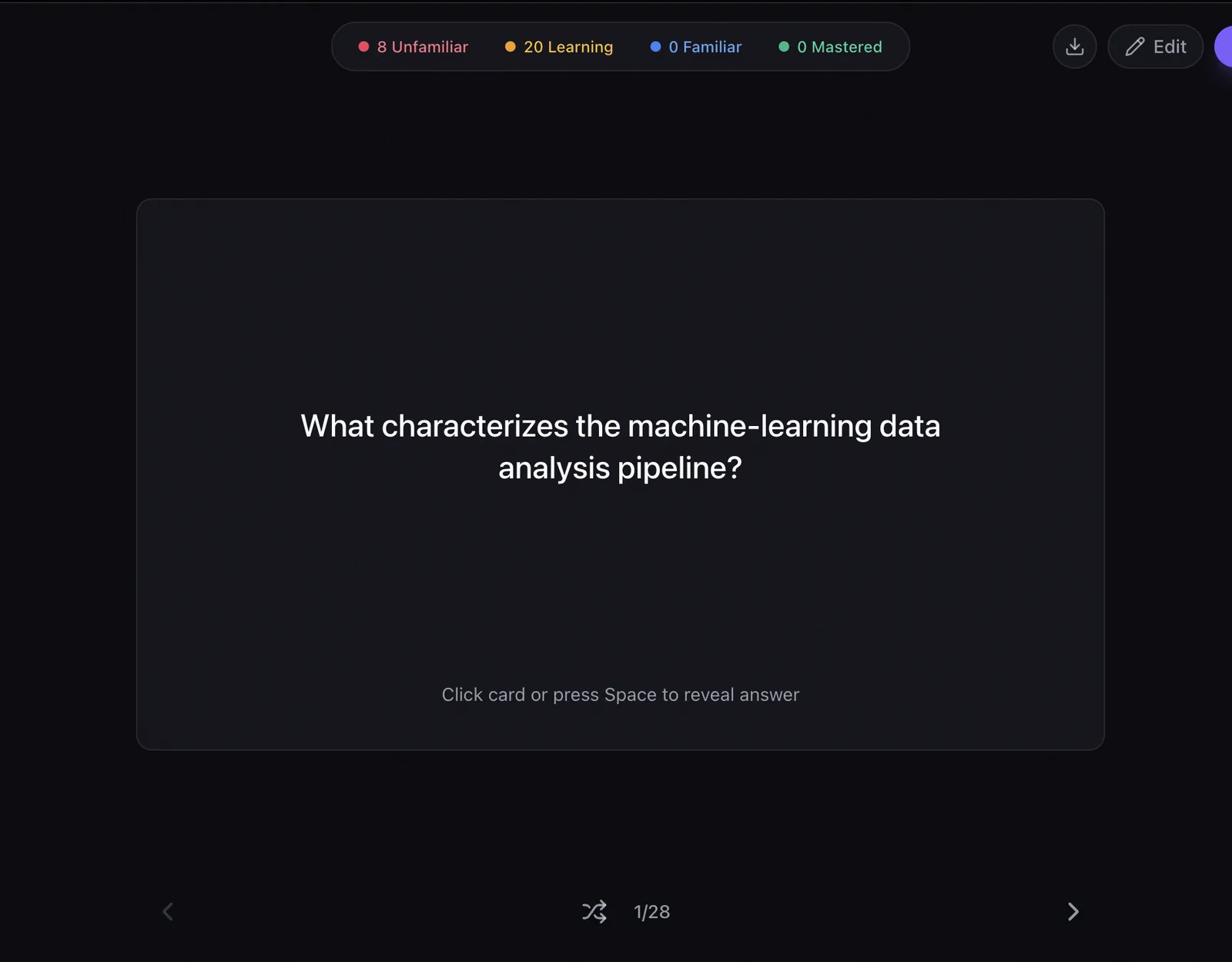
The export control is the download icon in the top-right of the flashcard study screen, next to Edit. It produces a standard .apkg package, the same format Anki uses for shared decks. This is a Pro feature ($4.99/month or $39.99/year). Your first upload is free, so you can judge the quality of the generated cards before paying for the ability to take them elsewhere.
4. Import into Anki
On desktop: File → Import, select the .apkg. On mobile, opening the file hands it to Anki. The cards arrive as new.
Question and answer text transfers. Formatting is kept deliberately plain, because Anki note types vary enormously between users, and elaborate HTML tends to break on import rather than degrade gracefully.
What does not transfer
- Review history and scheduling. Cards land as new.
- The quiz. Anki is a flashcard system; generated quizzes stay in Laxu AI.
- The AI tutor and the podcast. Both are tied to the source material, not the cards.
- Later edits. The export is a snapshot, not a live link.
Common questions
What file format does Laxu AI export for Anki?
A standard .apkg package, the same format Anki uses for shared decks. You import it with File → Import in Anki desktop, or by opening the file on mobile.
Is Anki export free?
No. Anki export is part of Pro, which is $4.99/month or $39.99/year. Your first upload is free so you can see the quality of the generated cards before deciding.
Does my review history transfer to Anki?
No, and this is the thing to plan around. An .apkg carries the cards, not your Laxu AI review schedule. Cards arrive in Anki as new. If you have already been reviewing a deck in Laxu AI for weeks, exporting it restarts that progress on the Anki side — so decide early which app owns your scheduling rather than running both.
Do explanations and hints come across?
The question and answer transfer. Formatting is kept simple deliberately, because Anki note types vary a lot between users and complex HTML tends to break on import rather than degrade gracefully.
Can I export a deck that came from a lecture recording?
Yes. Once the audio has been transcribed and the cards generated, the deck behaves like any other. The original input format makes no difference to the export.
Why use Laxu AI at all if I am going to study in Anki?
Because card creation is the part of Anki that takes the time. Anki is excellent at scheduling and has no opinion about where cards come from; typing them out from a 30-page chapter is the bottleneck. Generating them from the source and exporting is a reasonable division of labour.