Turn your notes into a two-host podcast
There is a chunk of every day when you cannot read: the walk in, the gym, the washing up. A podcast made from your own chapter fills it. Not a robot reading your notes aloud, but two voices working through the material and explaining it to each other.

What you get: roughly eight minutes of audio, as a conversation between two hosts, Maya and Theo, generated from the material you uploaded. It comes with a full written transcript alongside the player, playback speed control, and a download button if you want the file itself.
1. Upload whatever you have
A PDF or textbook chapter, a slide deck, a photo of handwritten notes, pasted text, or a lecture recording. The podcast is built from the same upload as your notes, flashcards and quiz — you are not doing the work twice.
2. Open the deck and start the podcast
From the deck, open the Podcast tab. Audio has to be synthesised, so this takes longer than generating text, so start it and go and do something else. You do not need to keep the page open. About a minute later you get around eight minutes of audio.
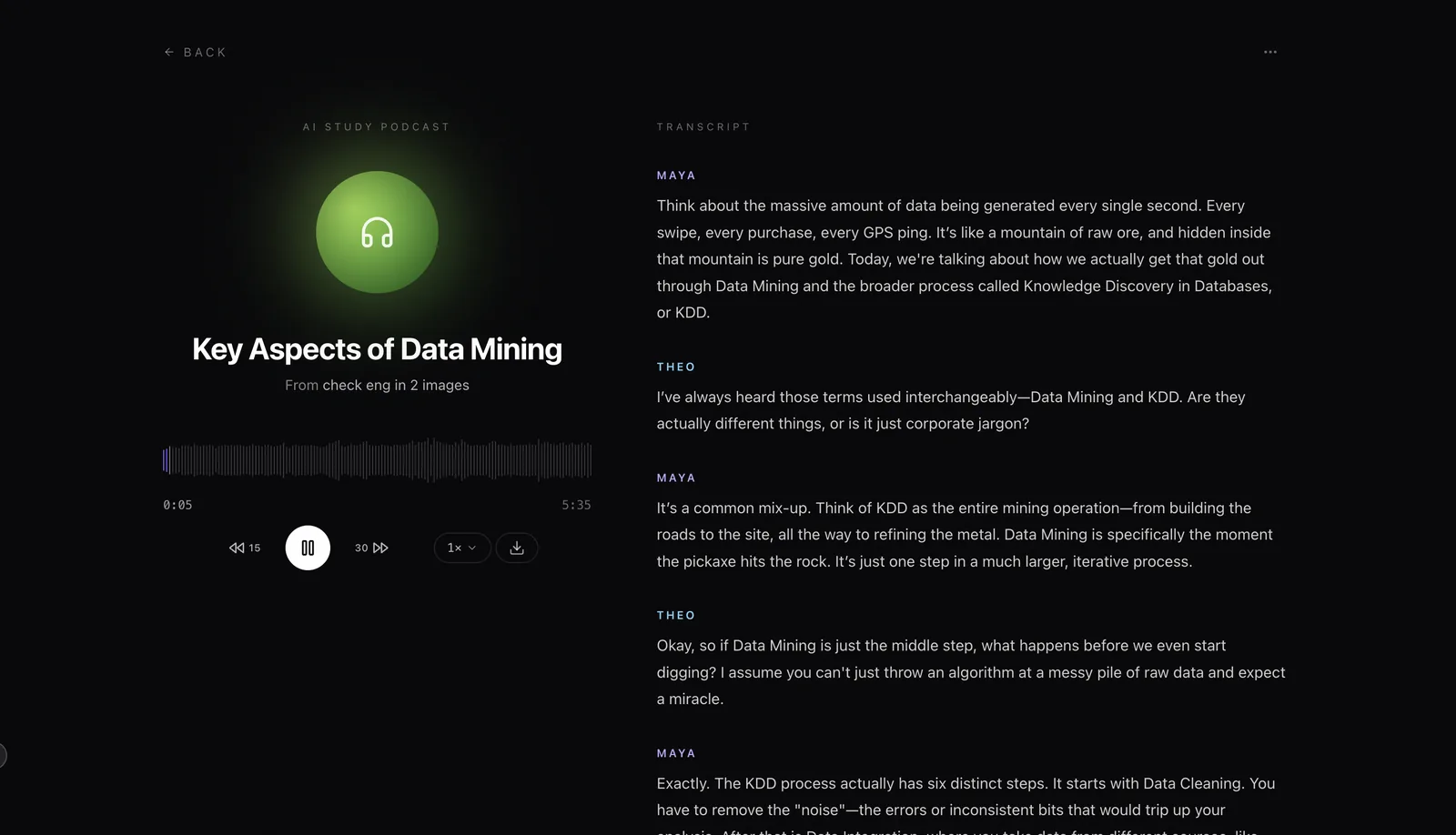
3. Why two voices rather than one
A single narrator reading your notes is text-to-speech, and it is very easy to stop listening to. The two hosts are called Maya and Theo, and they are given different jobs: Maya is the curious one who asks, Theo is the one who explains. That split is the point — one of them asks the question you would have asked. What you get is closer to overhearing a good study group than to an audiobook — the reasoning is spoken aloud, not just the conclusions.
Be honest about what listening does
Listening is passive, and passive review is the weaker half of studying. Dunlosky and colleagues (2013) reviewed ten common study techniques and rated only two as high utility: practice testing and spreading study over time. Rereading — and by extension re-listening — came out low.
So use the podcast for the slot it is actually good at: a second pass over material during time you could not have used for anything else. Then take the quiz from the same deck, because that is the part with the evidence behind it.
Common questions
What can I turn into a podcast?
Anything you can already upload: a PDF or textbook chapter, slides, photos of handwritten notes, pasted text, or a lecture recording. The podcast is generated from the same material as your flashcards and notes, so one upload covers all of it.
Why two hosts instead of one narrator?
A single voice reading your notes is text-to-speech, and it is easy to stop listening to. Two hosts have to explain things to each other, which surfaces the why rather than just the what: one asks the question you would have asked. It is a genuinely different listening experience from a read-aloud.
How long is the podcast, and how long does it take to make?
The podcast itself is about eight minutes long: enough to cover a chapter properly, short enough to finish on a walk. Generating it takes about a minute. That is slower than flashcards or notes because the audio has to be synthesised, so start it and leave the page.
Can I download it or listen in another app?
There is a download button in the player, so you can take the audio file and play it wherever you like. What it is not is a published feed — nothing goes to Spotify or Apple Podcasts, because this is your own study material rather than something public. The player itself also has speed control and 15-second-back / 30-second-forward skip.
Is there a transcript?
Yes, and it sits next to the player rather than behind a link — the audio plays on the left while the transcript scrolls on the right, labelled by speaker. It is useful for the opposite of the podcast's main job: when you have heard something and want to find the exact wording again without scrubbing through audio.
What language will it be in?
It follows your material and your interface language. Laxu AI runs in seven languages on the web and nine on mobile.
Is this actually useful, or is it a novelty?
It is genuinely useful for a specific slot: dead time when you cannot read. Commuting, the gym, walking between buildings, washing up. It is not a replacement for testing yourself. Listening is passive, and the evidence is clear that retrieval beats review. Treat the podcast as a way to get a second pass over material you have already tested yourself on.