Anki vs Quizlet vs RemNote vs Knowt: Which Is Best in 2026?
Four apps come up in almost every "which flashcard app should I use" thread: Anki, Quizlet, RemNote and Knowt. They are not really competing for the same student. One is a free power tool, one is a search engine for study sets, one is a notes app that grew flashcards, and one gives away for free what the others charge for. This comparison is built on prices and features we checked against each company's own pages in August 2026 — and it says plainly which parts we could not verify.
The short answer
- Anki — the best free option, and still the most powerful scheduler. Choose it if you are willing to make your own cards and want something that will never change under you.
- Quizlet — the biggest library of ready-made sets. Choose it if someone has already made the deck you need.
- RemNote — notes and flashcards in one document. Choose it if you want your cards to live inside your notes instead of in a separate app.
- Knowt — the most generous free tier of the four for students. Choose it if you want AI study tools without paying.
- Laxu AI — our own app, included here for completeness at the bottom. Choose it only if the thing you want is turning PDFs, images and lecture recordings into cards automatically.
At a glance
Everything in this table was read off each company's official pricing page, help centre, or App Store listing in August 2026. Prices change, and they change most often in the direction you would not like, so check before you pay.
| Anki | Quizlet | RemNote | Knowt | |
|---|---|---|---|---|
| Free tier | Full app, free | Yes, limited | Yes, capped | Yes, generous |
| Paid price | $24.99 once (iOS only) | Plus $7.99/mo or $35.99/yr | $8/mo, or $18/mo with AI | $12.49/mo annual (teacher-oriented) |
| Desktop | Windows, Mac, Linux — free | Web | Web + desktop | Web |
| Mobile | Android free, iOS paid | iOS + Android | iOS + Android | iOS + Android |
| Spaced repetition | SM-2, with FSRS opt-in | Adaptive Learn mode | Built in | Built in, free |
| AI card generation | No (add-ons only) | Yes, paid | Yes, on the $18 tier | Yes, free |
| Works offline | Yes | Partly | Partly | No |
| Open source | Yes | No | No | No |
Quizlet Plus Unlimited, the tier above Plus, is $9.99/mo or $44.99/yr. Both figures read off quizlet.com/upgrade in August 2026.
How we compared them — and what we did not measure
Most articles like this one claim to have run a study and report a retention percentage for each app. We are not going to do that, because we did not run a fourteen-day controlled trial across four apps, and neither did most of the pages telling you they did. A retention number invented for an article is worse than no number at all: it looks like evidence.
Here is exactly what this comparison is:
- Prices — read directly from remnote.com/pricing, knowt.com/plans, quizlet.com/upgrade, the AnkiMobile US App Store listing and apps.ankiweb.net, in August 2026.
- Free-tier limits — taken from each company's own description of its free plan, quoted rather than paraphrased where the wording matters.
- Scheduling behaviour — taken from the Anki manual for Anki, and from each company's feature descriptions for the rest.
- Judgements — the "who it is for" verdicts are opinion, informed by what the feature sets and prices actually are. They are labelled as such.
What we did not do: measure recall, time how long each app takes to make fifty cards, or test the quality of AI-generated cards side by side. If you see those numbers on a comparison page, ask who ran the study and whether the methodology is published.
Anki: the free one that outlasts everything
Anki is free on Windows, Mac, Linux and Android, and the AnkiWeb sync service that keeps them in step is also free. The one charge is the iPhone and iPad app, AnkiMobile at $24.99, a one-time purchase from Anki Software, LLC rather than a subscription — and the App Store listing notes it can be used across devices in a household on the same Apple ID.
That pricing is unusual enough to be the main reason people pick it. Every other app here can raise its subscription; Anki cannot raise a price you already paid once, and the desktop version has no price to raise.
On scheduling, Anki's manual describes FSRS — the Free Spaced Repetition Scheduler — as "an alternative to Anki's legacy SuperMemo 2 (SM-2) algorithm." The wording matters: FSRS is opt-in, so out of the box you are on SM-2 unless you turn it on in deck options. Turning it on is a few clicks and is generally considered an upgrade.
The catch is that Anki gives you a scheduler, not a study assistant. You write every card yourself, or you find a shared deck and trust a stranger's accuracy. The interface is famously utilitarian, and the add-on ecosystem that fixes this is powerful and entirely unsupported.
Pick Anki if you are studying for something long and serious — medicine, law, a language — you will be at it for years, and you would rather invest hours in making cards than pay a monthly fee.
Quizlet: the library
Quizlet's real product is not the study modes, it is the enormous body of sets other people have already made. For a standard course with a standard syllabus, the deck often exists.
On pricing, Quizlet is cheaper than most people assume. Read off quizlet.com/upgrade in August 2026: Quizlet Plus is $7.99 a month, or $35.99 billed annually (which it displays as $2.99/mo), and Quizlet Plus Unlimited is $9.99 a month, or $44.99 billed annually ($3.75/mo). Billed annually, Plus is the cheapest paid tier in this whole comparison — including ours.
Quizlet's AI features — practice tests, study guides, a PDF summariser, AI flashcard creation — are the part gated behind Plus, with limited access for non-subscribers. Its own wording on study guides is that "free users can generate study guides for free with limited access." Audio recording, launched on 29 July 2026, works the same way: the first recording is free, then it becomes a Plus feature, and it is not supported on mobile web at all.
The catch is that Learn mode is adaptive rather than a true interval-based spaced repetition system. It will show you what you got wrong more often, which is useful, but it is not the same mechanism as Anki's scheduler. If long-term retention over months is the goal, that difference matters.
Pick Quizlet if your course is common enough that the set already exists, and you want to start studying in the next sixty seconds.

RemNote: notes first, cards second
RemNote's idea is that flashcards should not live in a separate app from your notes. You write notes, mark a line as a card, and it enters the review queue. For people who already keep detailed notes, this removes the transcription step entirely.
Its pricing is the most explicit of the four, and also the most tiered:
| Tier | Price | What you get |
|---|---|---|
| Free | $0 | Unlimited notes and flashcards, but capped at 3 annotated PDFs, 5 image-occlusion cards, 1 handwritten document, and 100 AI credits a month |
| Pro | $8/mo or $96/yr | PDF annotation, image occlusion, tables and templates, exam scheduler, handwritten notes, 1,000 AI credits |
| Pro with AI | $18/mo or $216/yr | Learn PDF (AI flashcards, quizzes, summaries), unlimited flashcard explanations, lecture recorder, AI grading and chat, image to text, 20,000 AI credits |
Read those free-tier limits carefully, because they are the ones people trip over. Three annotated PDFs is not three per month — it is the cap on the free plan. If your workflow is "annotate the lecture PDF, turn the highlights into cards," you will hit that wall in your first week.
The catch is price and complexity. The AI features that make RemNote competitive with newer tools sit on the $18/month tier, which is $216 a year — the most expensive option here by a wide margin. And the notes-plus-cards-plus-hierarchy model has a genuine learning curve.
Pick RemNote if you take heavy structured notes anyway and want one document to be both your notes and your review queue.
Knowt: the free one aimed squarely at Quizlet
Knowt positions itself directly against Quizlet — its own homepage headline calls it a free Quizlet alternative — and its pitch is that the things Quizlet charges for should be free. On its own description that includes unlimited learn mode, matching, spaced repetition and practice tests, plus AI summarisation of PDFs and video, AI flashcard generation from uploaded files, and AI-generated study guides.
Knowt does sell paid plans. The ones listed on its plans page are $12.49 per month billed annually at $149.99, or $24.99 per month. But the feature list attached to them — monitored AI chat activities for students, auto-graded assessments, AP mock exams, additional assessment question types — is aimed at teachers and classrooms rather than an individual student. For a student, the practical answer is that Knowt is free.
The catch is that "free" is a business model decision, not a permanent property. A free tier this generous is usually either subsidised by the education market or a stage in a company's growth. That is not a reason to avoid it; it is a reason to keep your cards exportable.
Pick Knowt if you want Quizlet-style study modes plus AI generation and you do not want to pay anything.
What a year actually costs
The monthly number is not the number. Here is the twelve-month cost of each, using the prices verified above.
| App | Cheapest usable year | Full-featured year |
|---|---|---|
| Anki | $0 on desktop and Android | $24.99 once for iPhone, then $0 every year after |
| Quizlet | $0 on the free tier | $35.99 for Plus billed annually, or $95.88 paid monthly; Plus Unlimited is $44.99/yr |
| RemNote | $0, within the 3-PDF cap | $96 for Pro, $216 for Pro with AI |
| Knowt | $0 | $0 for students |
| Laxu AI | Free tier | $39.99 annual, $59.88 if paid monthly, $103.48 if paid weekly |
Three things jump out. Anki is the only one whose cost goes to zero and stays there. RemNote's AI tier at $216 a year costs more than the other four combined. And Quizlet Plus billed annually undercuts our own annual plan by four dollars — which is worth saying plainly on a page we publish.
Where Laxu AI fits
We make Laxu AI, so treat this section as what it is. We have put it last and we are not going to tell you it wins, because for three of the four use cases above it does not.
The one thing Laxu does that none of the four above does in the same way is take the raw material you already have — a lecture PDF, a photo of a whiteboard, an hour of recorded audio — and produce the notes, cards, quiz and an audio summary from it, without you typing the cards.
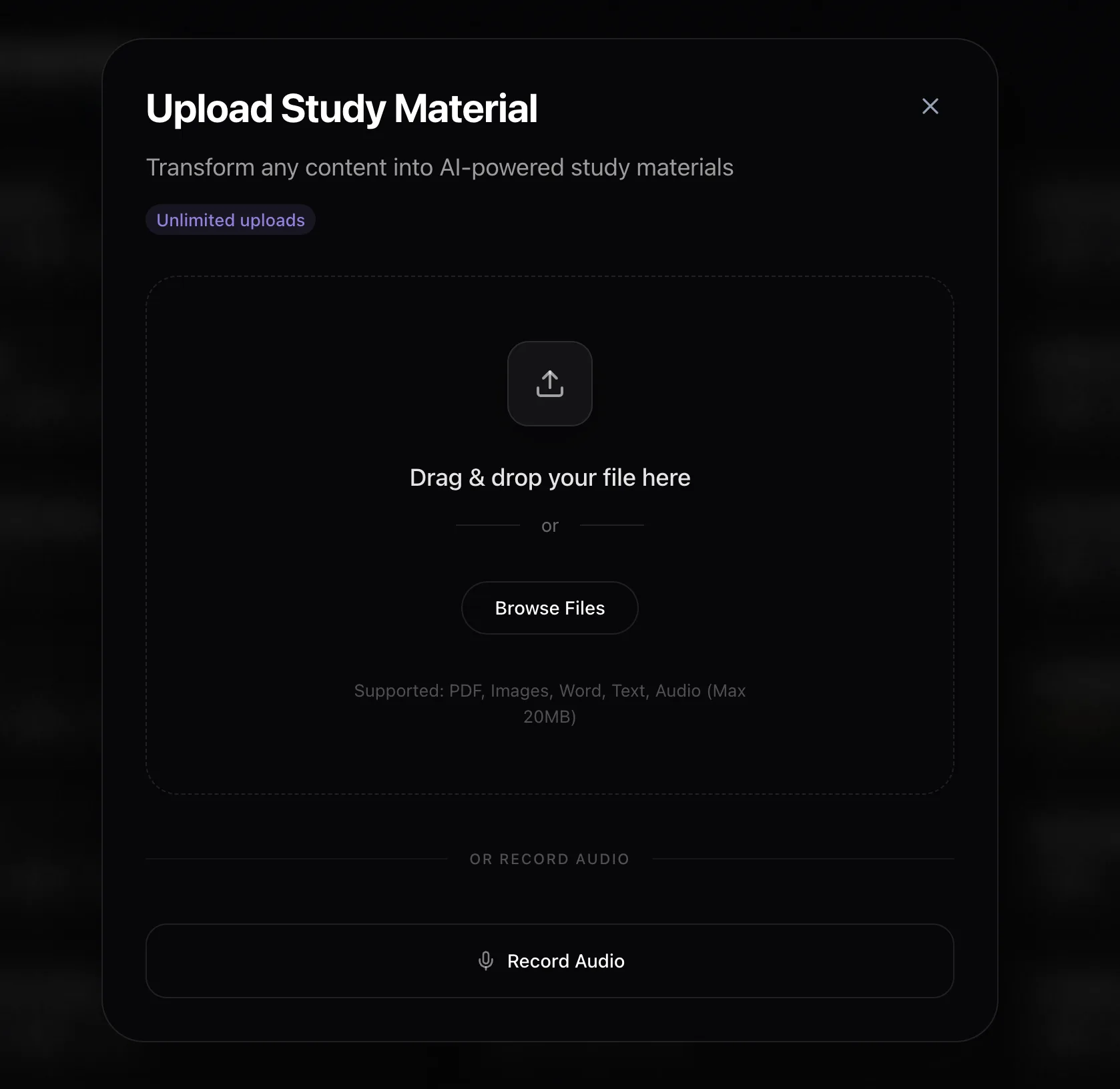
If you record lectures, that is the workflow worth comparing. RemNote has a lecture recorder on its $18 tier; the others do not have one at all. Our audio-to-flashcards and PDF-to-flashcards pages go into how that works in more detail.
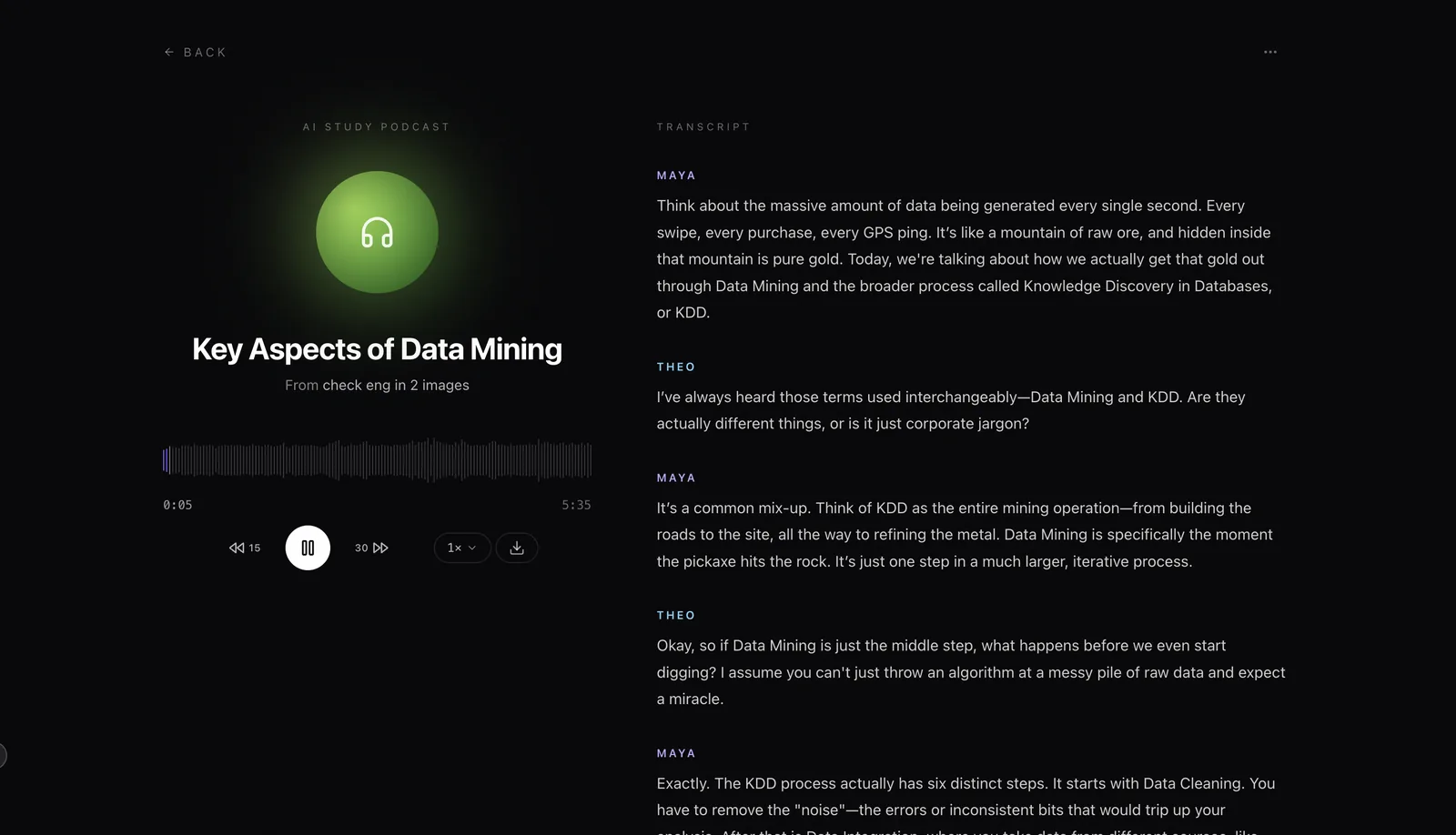
Pricing is $1.99 a week, $4.99 a month or $39.99 a year, with a free tier to try it. And because lock-in is a real risk with any of these apps, cards export to Anki:
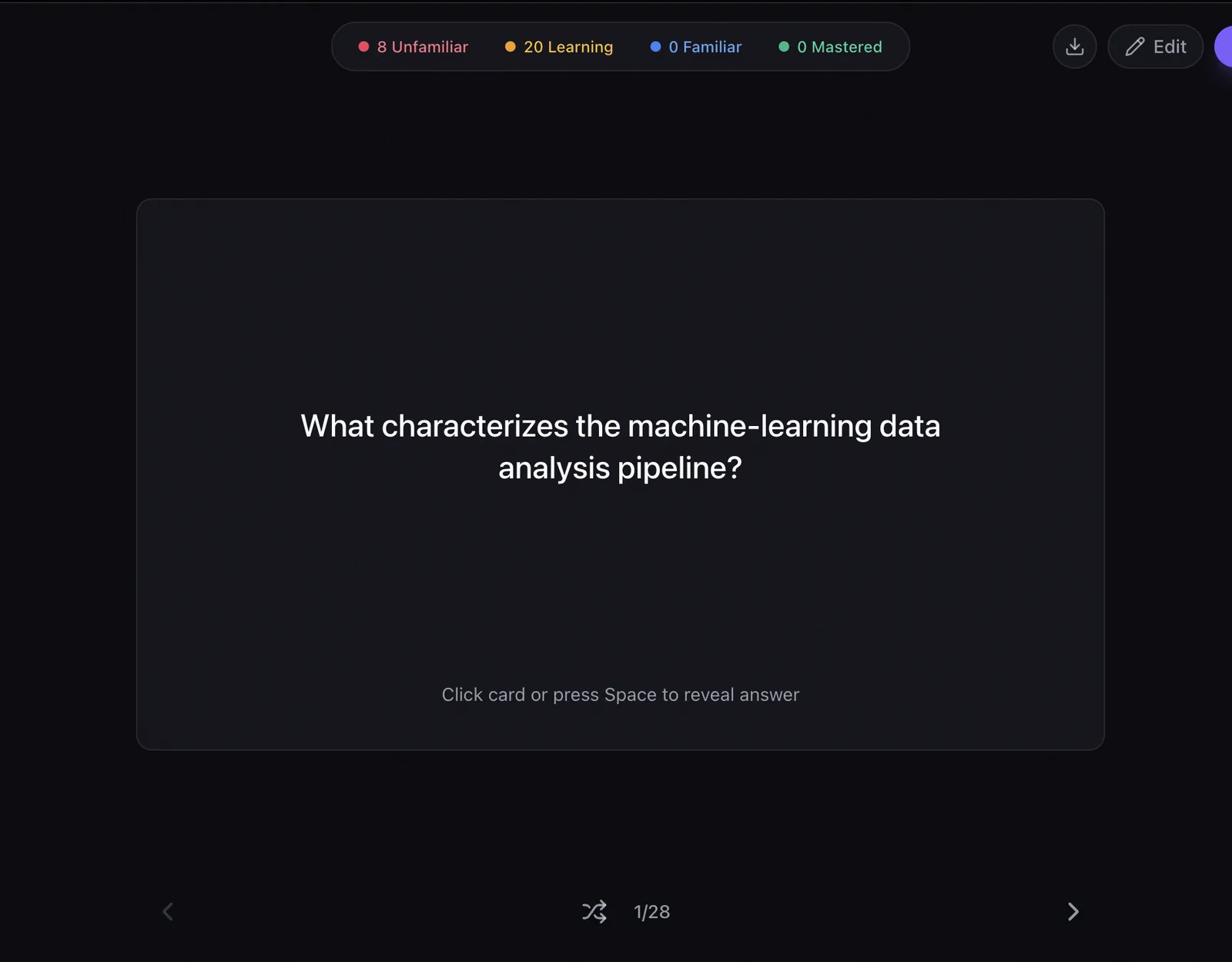
Pick Laxu AI if your bottleneck is making the cards, not reviewing them — you have more source material than time. Do not pick it if you want a free forever tool with a scheduler you can tune to death; that is Anki, and Anki is better at it.

Which one should you pick?
| If this is you | Use | Why |
|---|---|---|
| Medical or law student, multi-year grind | Anki | Free, the strongest scheduler, and nobody can change the price on you |
| You need a deck for a common course today | Quizlet | The set probably already exists |
| You keep long structured notes | RemNote | Cards live inside the notes, so there is nothing to transcribe |
| You want AI tools and will not pay | Knowt | The most generous free tier of the four |
| You record lectures or work from PDFs | Laxu AI | Generates the cards, notes and audio from the source material |
| You are not sure yet | Anki or Knowt | Both are free, so trying them costs nothing but an evening |
One thing to check before you commit
Whichever you choose, find the export button before you build a thousand cards. Anki's format is the closest thing this category has to a standard, and an app that can export to it is an app you can leave. That single check matters more over three years than any feature comparison, including this one.
If you want to go deeper on the scheduling side specifically, our spaced repetition app comparison covers how the algorithms differ, and the complete guide to spaced repetition explains why the intervals work at all.
Frequently Asked Questions
Is Anki better than Quizlet?
How much does Anki cost?
Is Knowt really free?
What are RemNote's free plan limits?
Which flashcard app is cheapest over a year?
Can I move my flashcards between these apps?
Related articles
Continue learning with these related posts.

Put these techniques into practice
Upload your study materials and let Laxu AI create flashcards, notes, and quizzes automatically.